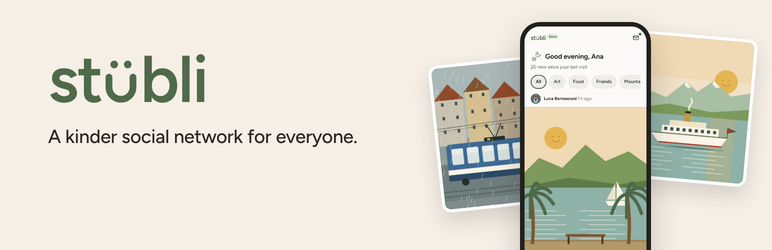

Description
Stubli is in beta. Anyone is welcome to try it. The feedback button in the app goes straight to the people who make Stubli.
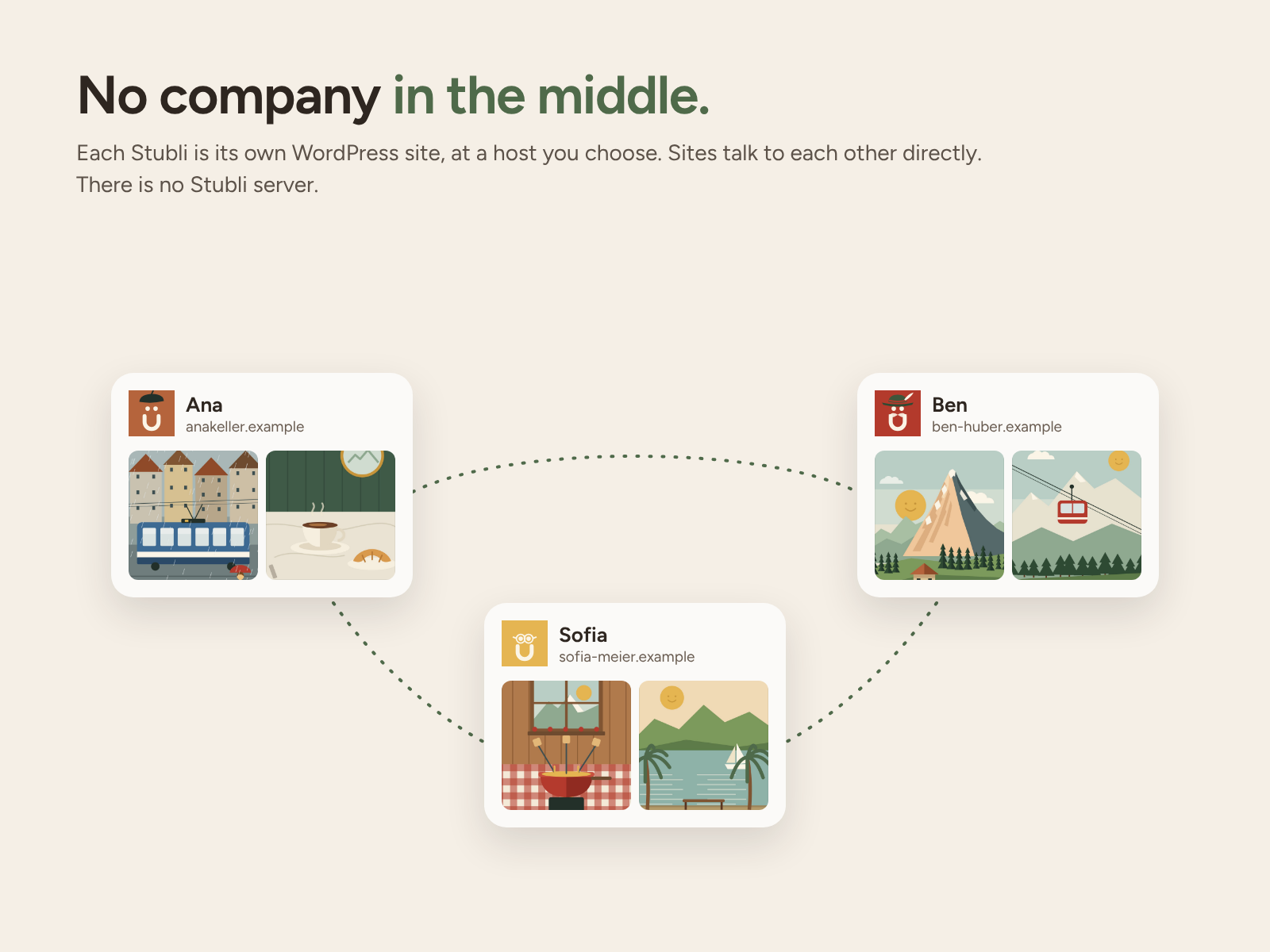
Stubli turns your WordPress site into a calm, familiar place for your photos and the people you like. If you know Instagram, you know where to tap. But everything lives on your own site, and Stubli sites talk to each other directly with RSS and Webmention.
On your site
- Photo posts and carousels of up to 20 photos or videos (videos up to a minute), with optional descriptions.
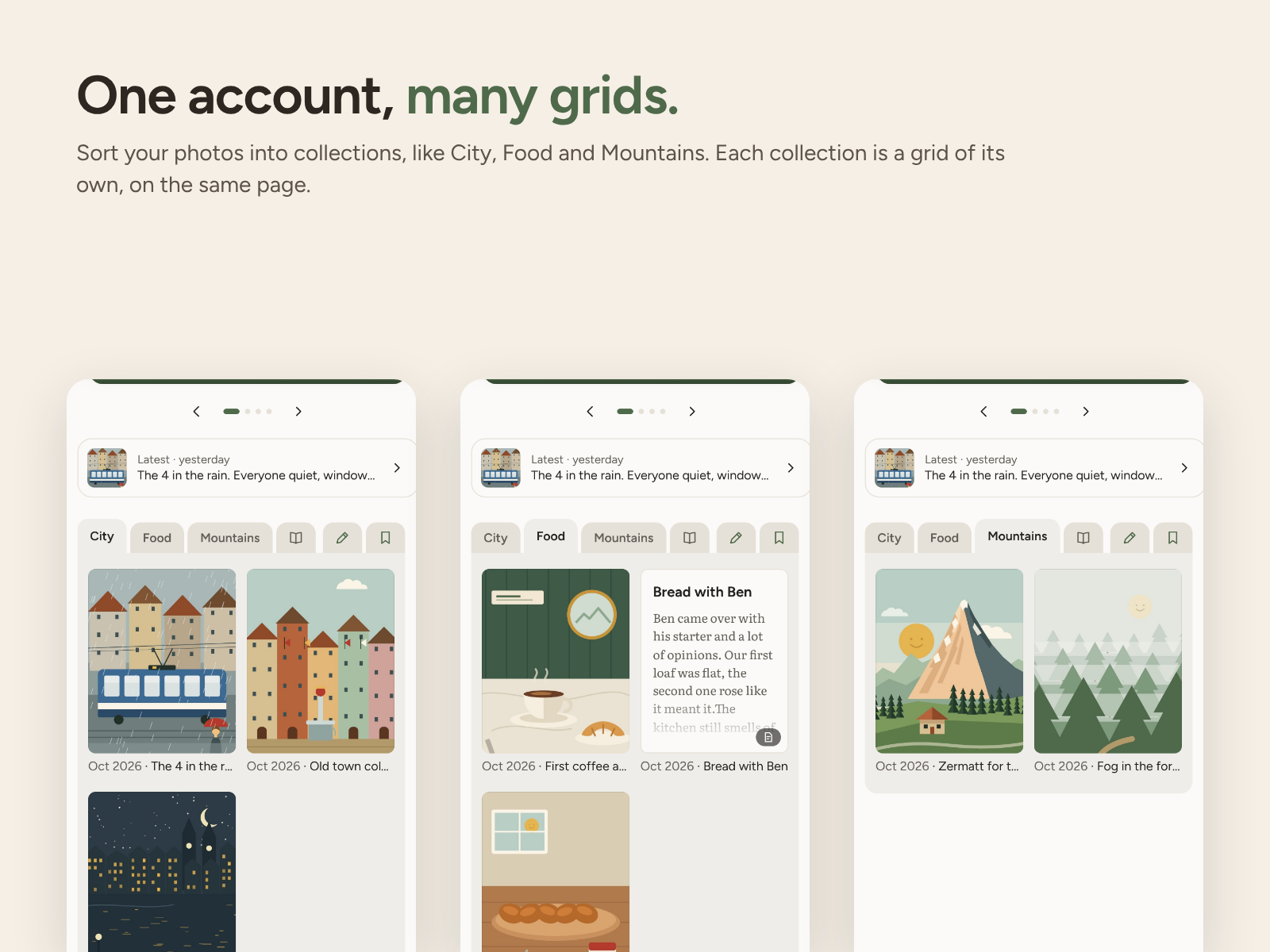
- Collections as folder tabs, captions with clickable links, and content notes that keep a photo softly blurred until someone chooses to see it.
- A journal (for everyone, or only you) and a guest book that people sign from their own Stubli.
- A Library: lend books, games, tools and more to people nearby. People who have a Stubli ask to borrow from their app; anyone else can ask with a private note.
- Your colour and reading mode (Light or Paper). The look works with any theme.
The Stubli app at yoursite/app
- Add it to your phone’s home screen. Post, read and reply from there.
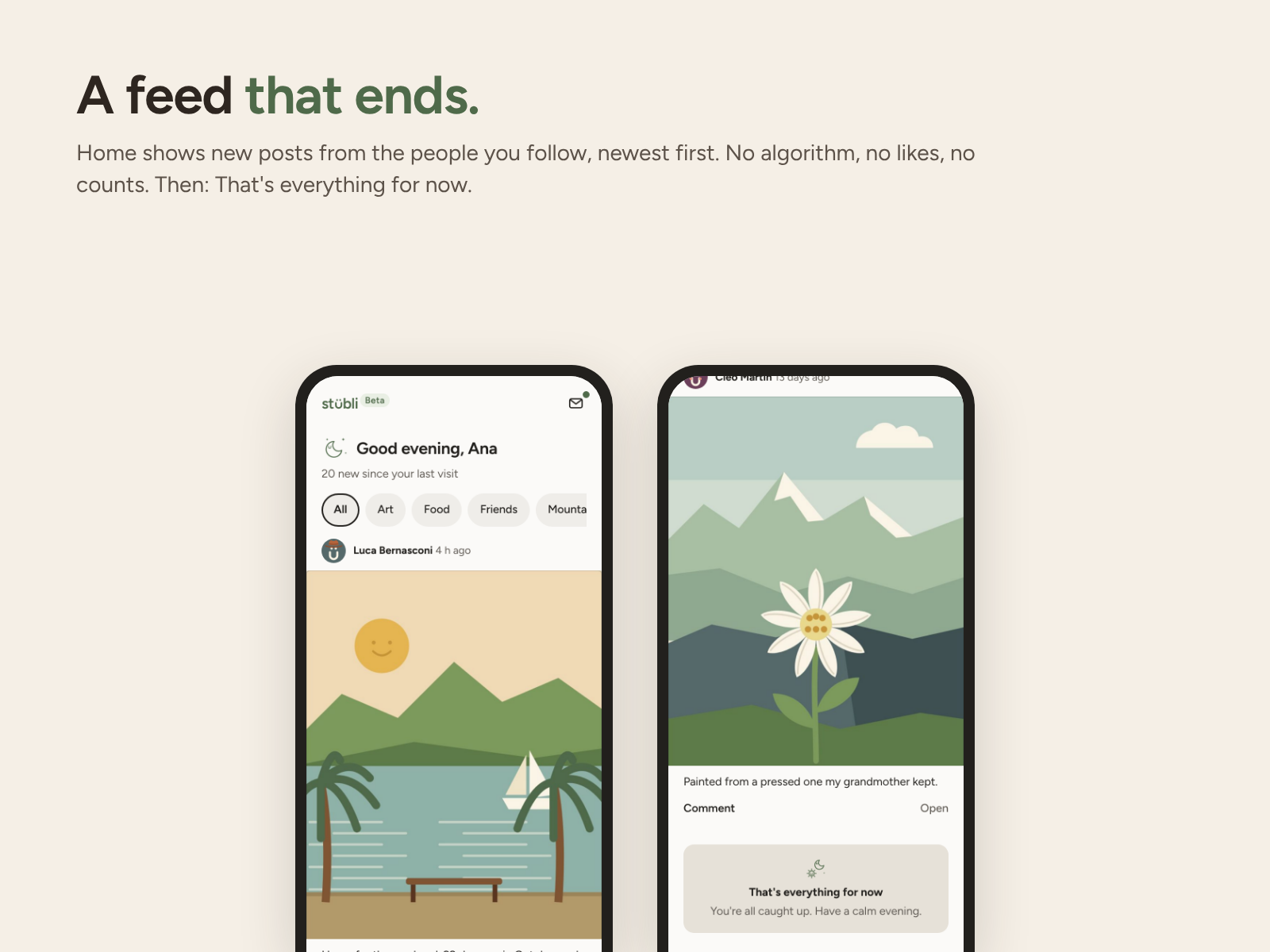
- Home: new photos from the people you follow, newest first. It ends with “That’s everything for now”.
- Discover: sites that the people you follow share publicly. No ranking, no algorithm.
- What’s new: comments and guest book entries waiting for your OK, and notes from visitors.
- A daily summary at a time you choose, only when something is new, as a phone notification or by email. Never one per post.
- Letters: write to other Stublis like letters, not a chat. Letters from people you don’t follow wait for your OK.
- Edit or delete your posts, bring your photos and videos from Instagram, and invite friends with links that make you follow each other.
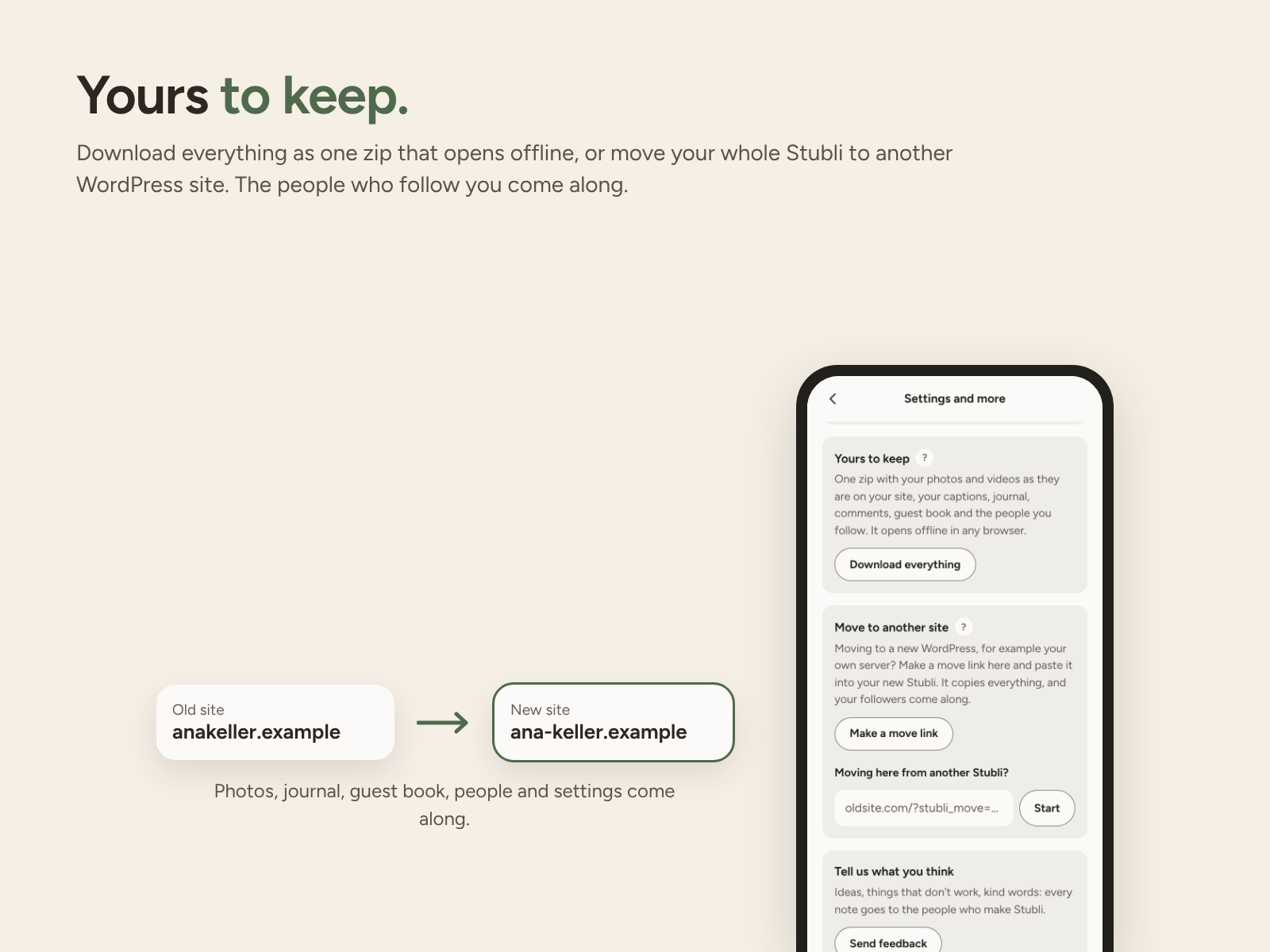
- Yours to keep: download everything, your Library included, as one zip that opens offline, or move your whole Stubli to another WordPress site. The people who follow you come along.
Kind by design
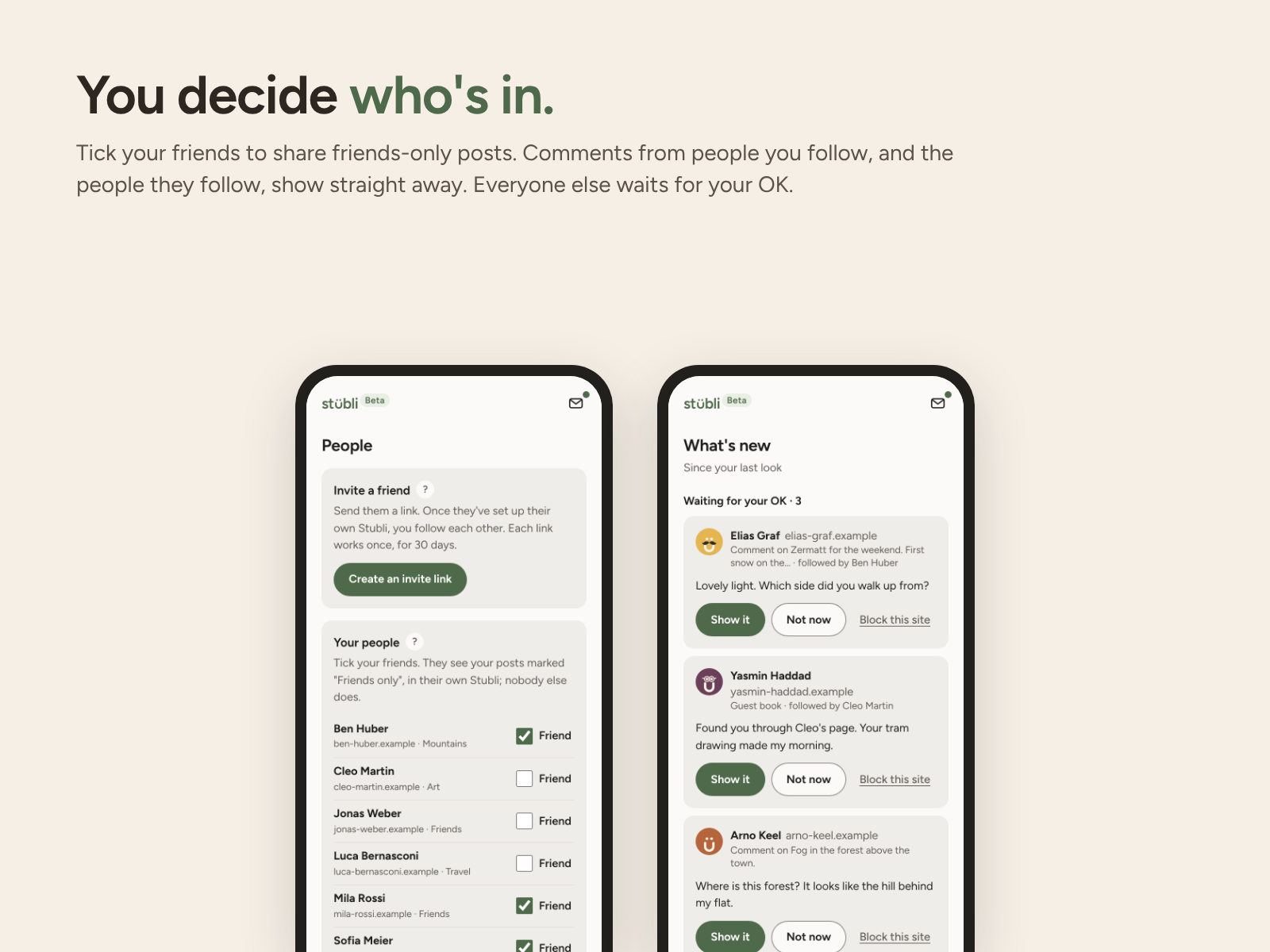
- Friends only: tick friends among the people you follow and share some posts just with them. They’re never on your public page.
- Comments, not likes, and no counts anywhere.
- Location details are removed from photos and videos before they’re shared.
- Comments from people you follow, and the people they follow, show straight away. Everyone else waits for your OK. Blocking is quiet: they are never told.
- Take a break: pause comments and the guest book without deleting anything.
- At the end of the setup you choose whether to stay out of search engines and to ask AI crawlers to stay away (both suggested). You can change both later.
- No “Powered by” link: a small “Made with Stubli” link in your footer appears only if you turn it on.
Third-party code
The Library’s barcode reader (assets/app/isbn-scan.min.js) is built from parts of zxing-js/library (https://github.com/zxing-js/library), Apache License 2.0; the licence is in assets/app/isbn-scan-LICENSE.txt and the entry point in assets/app/isbn-scan-source.ts.txt.
External services
Stubli connects to other websites only for the features below. Nothing is sent anywhere just because someone visits your site.
- Sites you follow, comment on or invite. Your site fetches their public feed and profile (address, name, photos) and sends comments by Webmention. These are other people’s Stubli sites, chosen by you.
- stubli.app feedback (only when you press Send). The app’s feedback form sends your note, your device type (for example “iPhone, Safari”) and your Stubli version, and, if you ticked them, your site address and a screenshot, to stubli.app, the project’s own site, so the people who make Stubli can read it. Privacy: https://stubli.app/privacy/
- News from Stubli (only if you turn it on). Once a day your site downloads a short list of notes from stubli.app. No site address or personal data is sent. stubli.app’s privacy notice applies: https://stubli.app/privacy/
- stubli.app host check (only when you press Check). The host check asks stubli.app to try reaching your site, to tell you whether other sites can reach it. stubli.app receives your site’s address. If you press “Check and send the result to the Stubli team”, the results, your site’s address, your Stubli and PHP versions and the host name you typed are sent as a host report. Privacy: https://stubli.app/privacy/
- Videos you embed in a journal entry. If you paste a YouTube or Vimeo link into a journal entry, visitors who open that entry load the video from YouTube (youtube-nocookie.com) or Vimeo. Nothing loads from them otherwise. YouTube: https://policies.google.com/privacy, Vimeo: https://vimeo.com/privacy
- WordPress.org (once, when you finish the setup). Stubli asks WordPress.org for the Webmention plugin and installs it, the same way Plugins Add New does. You can also add it yourself.
- Friends (only when you tick someone as a friend). Your site gives that person’s Stubli site a private key, and their site checks it back with yours. With the key, their reader can show your friends-only posts, and their app can show the things in your Library you keep for friends only. Untick them and the key stops working.
- Notes (only when you send one, or someone leaves one). A note you write goes from your site to the other person’s Stubli site, which fetches it back from yours to check it really came from you; it gets your site’s address, name and photo with it. Visitors without a Stubli can leave you a note with their name and a way to reach them; it’s stored only on your site, seen only by you, and deleted after 90 days. Suggested privacy-policy text is added under Settings Privacy.
- Asking to borrow (only when you ask, or answer). When you tap Ask to borrow, your site tells the lender’s Stubli site that a request is waiting, and their site fetches it from yours: which thing, your note, your name, site address and profile photo. Their answers (yes with their hand-over line, not now, it’s back) travel back the same way. Nothing goes anywhere else.
- Libraries of people you follow (only when you open one). When you tap Library next to someone under People, your site asks their Stubli site for its Library (with their friend key, if they gave you one). Their site sees your site’s address.
- Moving your Stubli (only when you paste a move link). Your new site downloads your posts, photos, videos, journal, guest book, Library, people and settings from your old site, using the move link you made there. The link works for 7 days and only for that.
- Open Library (only when you add a book to your Library by its barcode or ISBN, or tap Pick a cover from Open Library). Your site asks Open Library (openlibrary.org, run by the Internet Archive) for the book’s title, author, year and cover, sending only the book’s ISBN, or, to pick a cover, the title and author you typed. While you choose, your own browser shows the covers straight from covers.openlibrary.org. Your site keeps a copy of the cover you pick in your media, so visitors load it from your site, never from Open Library. Privacy: https://archive.org/about/terms.php
- Phone notifications (only if you turn them on). The daily summary is sent through your phone browser’s own push service (for example Apple, Google or Mozilla), encrypted end to end so the service can’t read it.
Source code
Everything in this plugin is the readable source: the PHP, the app (assets/app/app.js and app.css) and the look (look/assets) are written by hand and shipped as they are. Nothing is compiled, bundled or minified, and there is no build step. The public repository, with the full history, is https://github.com/celestinetan/stubli-plugin
Screenshots
Installation
- Your host must let you upload plugins (on WordPress.com, any paid plan) and let other websites reach yours. https://stubli.app/get-started/ lists hosts that work.
- Install and activate Stubli.
- Stubli’s setup opens by itself: your name and photo, interests, colour, your people and your daily summary. When you finish, Stubli adds the free Webmention plugin from WordPress.org, which carries comments between sites.
- On your phone, open yoursite/app and add it to your home screen.
FAQ
-
Is there a Stubli server?
-
No. Your posts, comments and the list of people you follow stay on your own site. Following someone means your site reads their site’s feed.
-
Can I leave, or take everything with me?
-
Yes. In the app, You Settings and more Yours to keep makes one zip with your photos and videos as they are on your site, your captions, journal, comments, guest book and the people you follow, as pages that open offline in any browser plus a data file. You Settings and more Move to another site copies your photos, journal, guest book, people and settings to a new WordPress site (for example your own server); your old site then points to the new one, and your followers’ sites switch over by themselves.
Your photos and journal are ordinary WordPress posts. Uninstalling Stubli removes its own tables and settings but keeps your posts, photos, journal and guest book.
-
Does Stubli work with my theme?
-
Yes. Stubli brings its own look for your public pages and turns it on for new installs. You can switch it off under Settings Stubli.
-
Is this host Stubli-ready?
-
Settings Stubli has a check that tests everything Stubli needs in a few seconds.
Reviews
There are no reviews for this plugin.
Contributors & Developers
“Stubli” is open source software. The following people have contributed to this plugin.
Contributors
Translate “Stubli” into your language.
Interested in development?
Browse the code, check out the SVN repository, or subscribe to the development log by RSS.
Changelog
0.58.0
- Link in bio: add one link under your bio on Edit page, for your shop, newsletter or website. It also lets Mastodon and similar sites check that the website is yours.
0.57.2
- On stubli.app only: feedback copies can go to any address set in Settings Stubli, which also shows whether the last copy went out. Nothing changes on your own Stubli.
0.57.1
- On stubli.app only: each feedback note is also emailed to the Stubli team’s inbox, hello@stubli.app, so no note waits unseen. Nothing changes on your own Stubli.
0.57.0
- Any colour: besides the five colours, pick your own for buttons and tabs with your phone’s colour picker. If it would make text hard to read, Stubli darkens it a little and tells you.
- Switching back to Moss in the app now shows it straight away.
0.56.0
- Letters now look like letters: each one on its own sheet of lined paper, cream for theirs and white for yours, with who wrote it and when. Write back opens a page of its own, with the letter you’re answering quoted underneath.
0.55.1
- Letters are now written and read in the same font as the rest of the app, which is easier to read on a phone.
0.55.0
- Letters now sit in the app’s bottom bar, where a new letter is easier to notice. People moved to the top right corner.
0.54.0
- Letters are quicker to write: New letter in the app’s Letters, and Write next to each person you follow.
- On someone’s page, the envelope, Follow and the other “from your own Stubli” links open your own app straight away once your device knows your Stubli. No address form in between.
0.53.3
- Pages no longer jump while they load: the cards about you show as cards straight away, and the reading mode button shows the right name from the start.
- Sites I follow shows each Stubli’s name only, without its address, so long addresses no longer run past the card.
- Save on Edit page now also keeps a cover photo you’ve placed but not confirmed with Use this.
- The top bar no longer shows the site’s address. Pages without the profile card get a link back home with the Stubli’s name.
- See it as a visitor: owners can look at their own page the way visitors see it, and write themselves a letter to try Letters.
0.53.2
- A Stubli you follow now says “Following” when you visit it, instead of “Follow”. It works it out on your own device; the Stubli you visit isn’t told.
- Tapping Follow on a Stubli you already follow says so, instead of asking again.
0.53.1
- Your page’s top bar no longer shows starter pages you never edited, such as WordPress.com’s example About page. Edit one and it shows again.
- Wording: “leave a tip”, and the setup’s Say hello says “so Celestine knows you’ve joined”.
0.53.0
- News from Stubli: short notes about new features and safety updates, in What’s new. Off unless you turn it on: in setup, once in What’s new, or in You Settings and more. When on, your site checks stubli.app once a day and sends nothing about you or your visitors.
- Tell a friend about Stubli: share a link from People or Settings and more, so a friend can make their own. Stubli doesn’t see who you send it to.
- The Library card and the thank-you after a note show “Make your Stubli” only if you said yes to “Help friends find Stubli?”, like the “Made with Stubli” line.
0.52.8
- Videos: YouTube and Vimeo videos in your journal play again when you press play.
- Videos: only a YouTube or Vimeo link on a line of its own becomes a video. A link inside a sentence stays a link, as in WordPress.
- Posts made before Stubli: WordPress shortcodes such as [video] and [audio] work again.
- With Stubli’s look on, a background picture or colour from your old theme no longer shows behind your Stubli.
0.52.7
- Home: when you comment on someone’s post, the notes under the comment box name their Stubli instead of saying “they”.
0.52.6
- Safety: Move to another site accepts its secret link only the way Stubli sends it, never in a web address that could end up in server logs, and gives up sooner on a photo that doesn’t arrive.
0.52.5
- Safety: the “can stubli.app reach your site?” check is now limited per visitor, so one visitor can no longer use it up for everyone.
0.52.4
- From your Stubli: when you follow, write to or comment on another Stubli, the screen names that Stubli by its address instead of saying “they”.
0.52.3
- Behind the scenes: this list now shows the newest changes only, so WordPress.org shows it whole. Every older version is in changelog.txt, in the plugin.
0.52.2
- Guest book: one form to sign it or, with Private ticked, to write privately. A way to reach you is now optional.
- Letters: delete a whole conversation, and reply to people without a Stubli by email, text or call.