
Description
Royal MCP is a security-first Model Context Protocol (MCP) server for WordPress. It gives AI platforms like Claude, ChatGPT, and Google Gemini structured access to your WordPress content — with authentication, rate limiting, and audit logging that most MCP implementations skip entirely.
First-time setup walkthrough (with videos): royalplugins.com/support/royal-mcp/connecting-to-claude/
According to recent security research, 41% of public MCP servers have no authentication and respond to tool calls without any credentials. Royal MCP takes the opposite approach: every MCP session requires an API key, every request is rate-limited, and every interaction is logged.
Why Security Matters for MCP
MCP gives AI agents the ability to read, create, update, and delete your WordPress content. Without proper authentication, anyone who discovers your MCP endpoint can:
- Read all your posts, pages, and media
- Create or delete content
- Access user data and plugin information
- Overwhelm your server with rapid-fire requests
Royal MCP prevents all of this with API key authentication on session initialization, timing-safe key comparison, per-IP rate limiting (60 requests/minute), and a full activity log of every MCP interaction.
Free, Self-Hosted, Fully Featured
Royal MCP is fully featured in its free, GPL-licensed release. There is no Pro version — all tools ship in the wp.org plugin, and updates go through the standard WordPress plugin updater.
Your credentials stay on your server. Royal MCP runs entirely inside WordPress: API keys, OAuth tokens, and session state all live in your own database. Royal MCP makes no outbound connections to Royal Plugins’ own servers — no license check, no telemetry, no traffic beacon. If you prefer to keep AI inference local too, Ollama and LM Studio are first-class platforms alongside Claude, ChatGPT, and Gemini.
69 Core Tools + 60 Integration Tools
WordPress Core (69 tools):
- Posts – create, read, update, delete, search, count (any registered public post type, featured images supported)
- Pages – full CRUD with parent page support
- Post Types – discover all registered public post types on the site
- Post Revisions – list revision history and roll a post back to any prior version
- Media – browse, upload from URL or base64, update alt text/caption/title/description, set as featured image, delete
- Comments – create, read, delete; full moderation suite (list pending, approve, mark spam, trash)
- Users – display names and roles (emails and usernames are not exposed)
- Categories & Tags & Custom Taxonomies – create, update (rename/re-slug/edit/move), delete, assign, count, discover all registered taxonomies
- Term Meta – read, update, delete (most useful for term-level SEO meta – titles, descriptions, focus keywords stored against categories and tags)
- Menus – list menus, list menu items, create / update / delete / reorder menu items
- Post Meta – read, update, delete custom fields (works with ACF, MetaBox, JetEngine, Pods, CPT UI)
- SEO Meta – read and write Yoast SEO or Rank Math title/description/focus keyword/robots/OG fields (auto-detects active SEO plugin)
- Site Info – site name, description, WordPress version, timezone
- Plugins & Themes – list installed plugins and themes with active status
- Theme Appearance – get active theme, read/write theme mods (gated by admin toggle + allowlist), read/write Custom CSS
- Search – full-text content search across post types
- Permalink Structure – read and update permalink settings (gated by admin toggle)
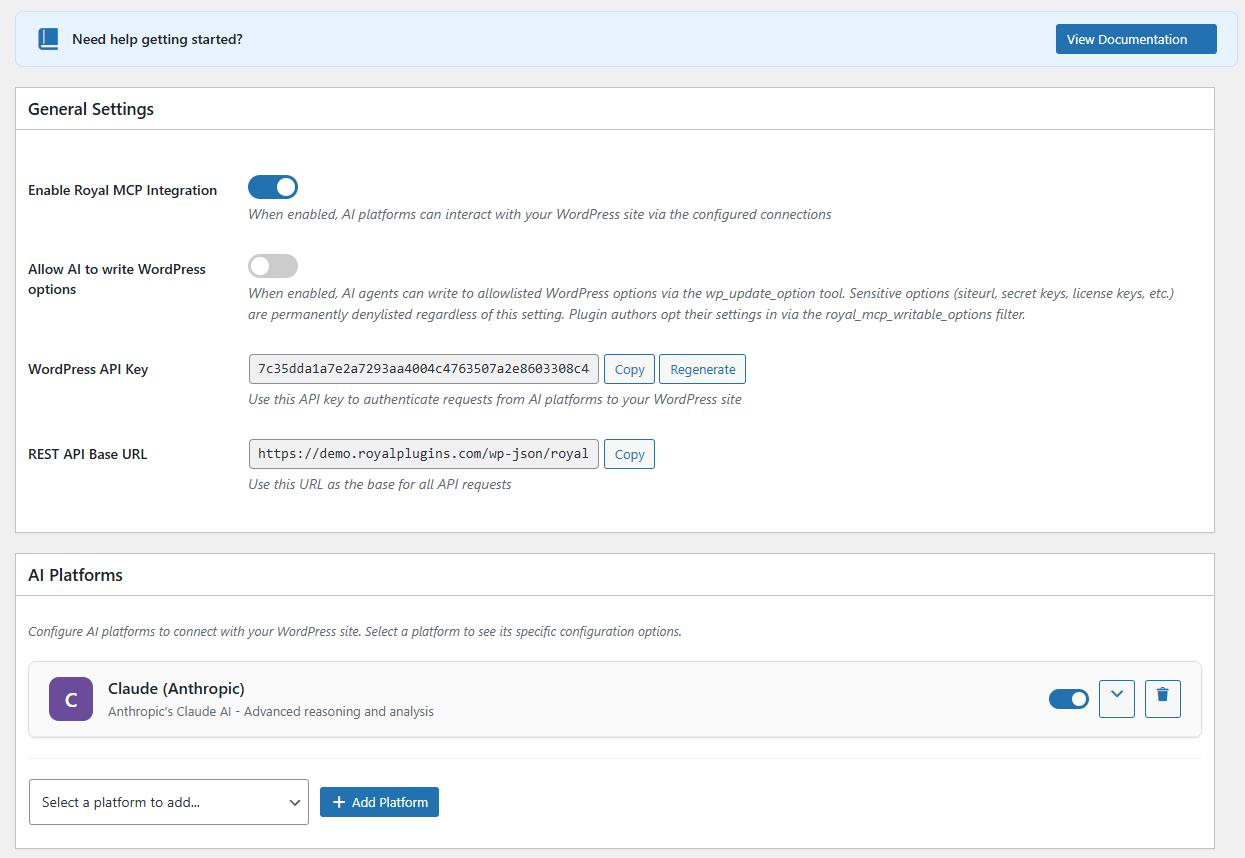
- Options – read allowlisted core options, read full plugin settings by slug (sensitive keys redacted), and write to allowlisted options when an admin enables it
Plugin Integrations (Conditional)
Royal MCP automatically detects compatible plugins and adds specialized MCP tools. No configuration needed — if the plugin is active, the tools appear.
WooCommerce Integration (26 tools):
When WooCommerce is active, AI agents can manage your store end-to-end:
- Browse and search products by category, status, or type
- Create and update simple and variable products with prices, SKUs, stock levels
- Manage variable products — list, get, create, update, delete, and batch-update product variations
- Manage global attributes (
pa_*taxonomies) — list registered attributes, list attribute terms, register new attributes, assign attributes to a product as variation axes - Manage coupons — list, search by code, get, create, update, delete (trash or permanent), and bulk-purge trash; supports all standard WC coupon fields (discount type, expiry, usage limits, product/category restrictions, email allowlists)
- View orders, order details, and update order status
- List customers with order count and total spent
- Get store statistics — revenue, order count, average order value by period
Elementor Integration (7 tools):
When Elementor (free or Pro) is active, AI agents can clone and customize existing Elementor pages without trying to generate page-builder JSON from scratch:
- Clone an existing Elementor page with a new title and fresh element IDs (so the duplicate opens in the editor without ID collisions)
- Bulk-replace text across heading, text-editor, button, image-box, icon-box, icon-list, testimonial, tabs, accordion, toggle, star-rating, call-to-action, and flip-box widgets
- Swap image URLs across image, image-box, background_image, and gallery widget settings
- Get a compact outline of any page (section/container hierarchy, widget types, text snippets) so Claude can reason over a full page in a few KB instead of the raw JSON
- List saved templates from the Elementor template library and import templates from JSON
- Atomic widgets (Elementor 4.0+ Editor V4 elements) pass through opaque — we never decode atomic schemas because Elementor itself may shift them. Widget-level creation from scratch is intentionally out of scope; the design commitment is to work from an existing-known-good source.
Advanced Custom Fields Integration (4 tools):
When ACF (free or Pro) is active, AI agents can read and write ACF fields with the field-type-aware formatting the ACF UI uses — instead of the raw serialized values WordPress meta returns:
- Read a single ACF field, formatted per its Return Format setting (hydrated post objects, parsed repeater rows, image arrays, etc.)
- Read every ACF field on a post in one call, with name/label/type/value bundled — the most efficient way for an AI to discover what fields exist and read them all
- Update an ACF field with type-aware value handling (scalar for text/number, array for repeaters and flex content, post ID for relationships, attachment ID for images)
- Enumerate ACF field groups on the site, optionally filtered by post type — for AI-driven discovery of available custom fields before reading/writing
GuardPress Integration (7 tools):
When GuardPress is active, AI agents can monitor your site security:
- Get current security score and grade with factor breakdown
- View security statistics — failed logins, blocked IPs, alerts
- Run vulnerability scans and review results
- List blocked IP addresses and failed login attempts
- Browse the security audit log filtered by severity
SiteVault Integration (6 tools):
When SiteVault is active, AI agents can manage your backups:
- List available backups filtered by status or type
- Trigger new backups (full, database, files, plugins, themes)
- Check backup progress in real time
- View backup statistics — total size, last backup, counts
- List and review backup schedules
ForgeCache Integration (3 tools):
When ForgeCache is active, AI agents can manage your page cache:
- Clear the entire cache, or purge a specific URL
- View cache statistics — hit rate, file count, total size
Royal Ledger Integration (4 tools):
When Royal Ledger is active, AI agents can review your software costs and license data:
- List recurring software costs and renewal dates
- Get cost summaries grouped by month, vendor, or category
- List stored license keys (key VALUES are never exposed — only masked previews; decryption requires logging into wp-admin)
Royal Links Integration (3 tools):
When Royal Links is active, AI agents can manage your branded short links:
- List existing links with click counts and target URLs
- Create new branded short links
- Get click statistics for any link
Royal MCP and the WordPress Core Abilities API
WordPress 6.9 shipped the Abilities API in November 2025 — a primitive that lets plugins register typed capabilities AI agents can call. Core ships three default abilities (site info, user info, environment info) and the wordpress/mcp-adapter package bridges abilities to the MCP protocol.
Royal MCP is a complete, production-ready MCP server that predates the official adapter. It runs the full Streamable HTTP transport, enforces API key authentication on every request, ships OAuth 2.0 for Claude Desktop’s native connector flow, rate-limits per-IP, redacts sensitive data, and logs every interaction. Out of the box it includes 67 tools for WordPress core operations plus 60 integration tools that auto-load when WooCommerce, GuardPress, SiteVault, ForgeCache, Royal Ledger, Royal Links, Elementor, or Advanced Custom Fields (ACF) is active.
Supported AI Platforms
- Claude (Anthropic) – Full MCP support via Claude Desktop, Claude Code, and VS Code
- OpenAI / ChatGPT – GPT-5.5, GPT-5, GPT-5 Mini, o3
- Google Gemini – Gemini 3.5 Flash, 3.1 Flash-Lite
- Groq – Llama 3.3, Llama 3.1, GPT-OSS
- Azure OpenAI – Azure-hosted OpenAI deployments
- AWS Bedrock – Claude, Llama, Titan models
- Ollama / LM Studio – Local self-hosted models (no external data transmission)
- Custom MCP Servers – Connect to any MCP-compatible endpoint
Compatible Clients & Frameworks
Royal MCP works with any MCP-compliant client, IDE, or AI agent framework — no per-tool configuration required. Each entry below describes the specific integration path Royal MCP provides for that target, so customers can answer “will this work with the tool I already use?”:
- Desktop AI apps – Claude Desktop (native MCP connector via OAuth 2.0), ChatGPT Desktop, Gemini Advanced.
- AI code IDEs – Claude Code, VS Code (with MCP extension), Cursor, Windsurf, Continue, Cline, Zed, JetBrains AI Assistant.
- API testing tools – Postman, Bruno, Insomnia (use the API key in the
X-Royal-MCP-API-Keyheader). - Custom field plugins – Advanced Custom Fields (ACF) has dedicated
acf_*tools that return values formatted per each field’s Return Format setting (the same way the ACF UI shows them). MetaBox, JetEngine, Pods, CPT UI, and Custom Field Suite are supported through thewp_get_post_meta/wp_update_post_metatools, so AI agents can populate custom fields just like a human editor. - Page builders – Elementor has dedicated tools for clone-and-customize workflows (clone a page, find/replace text, swap images, get an outline, import templates) – see the Tools list. Widget-level creation from scratch is intentionally out of scope. Divi, Beaver Builder, Bricks, Gutenberg, Spectra, and Stackable store standard post content that is readable and writable by AI; page-builder-specific JSON storage is opaque unless covered by a dedicated tool.
- Multilingual – WPML, Polylang, TranslatePress, qTranslate. Translated posts appear as separate posts and can be read or written via the standard post tools.
- AI agent frameworks – LangChain, AutoGen, CrewAI, LlamaIndex, Haystack – any MCP-compatible framework can call Royal MCP’s tools.
- AI app platforms – Anthropic Console, OpenAI Playground, Google AI Studio, Vertex AI, Azure AI Studio, Amazon Bedrock Console.
MCP Spec Compliance
Royal MCP implements the MCP 2025-11-25 Streamable HTTP transport specification:
- Single
/mcpendpoint for all JSON-RPC communication - POST for client messages, GET for server-sent events, DELETE for session termination
- Cryptographically secure session IDs with transient-based storage
- Origin header validation to prevent DNS rebinding attacks
- Proper CORS handling for browser-based MCP clients
External Services
This plugin connects to third-party AI services to enable AI platforms to interact with your WordPress content. No data is transmitted until you explicitly configure and enable a platform connection.
What data is sent: Your WordPress content (posts, pages, media metadata) as requested by the connected AI platform through authenticated MCP tool calls.
When data is sent: Only when you have configured a platform with API credentials AND enabled that platform connection AND the AI platform makes an authenticated request.
Supported services and their policies:
-
Anthropic Claude — Used for Claude AI integration
Terms of Service | Privacy Policy -
OpenAI — Used for ChatGPT/GPT-4 integration
Terms of Use | Privacy Policy -
Google Gemini — Used for Gemini AI integration
Terms of Service | Privacy Policy -
Groq — Used for Groq LPU inference
Terms of Service | Privacy Policy -
Microsoft Azure OpenAI — Used for Azure-hosted OpenAI models
Terms of Service | Privacy Policy -
AWS Bedrock — Used for AWS-hosted AI models
Terms of Service | Privacy Policy -
Ollama / LM Studio — Local self-hosted models (no external data transmission)
-
Custom MCP Servers — User-configured servers (data sent to user-specified endpoints only)
Screenshots
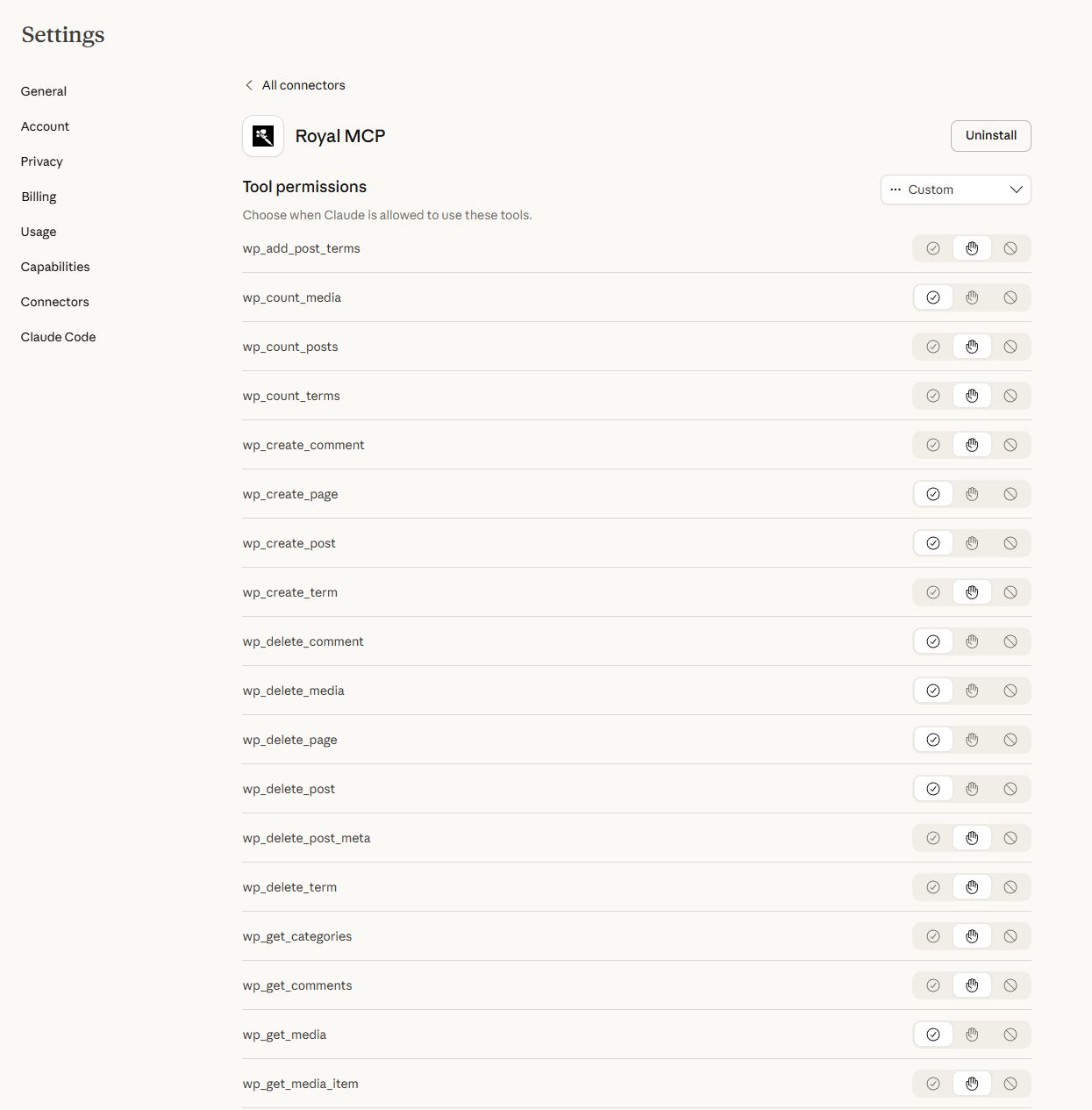
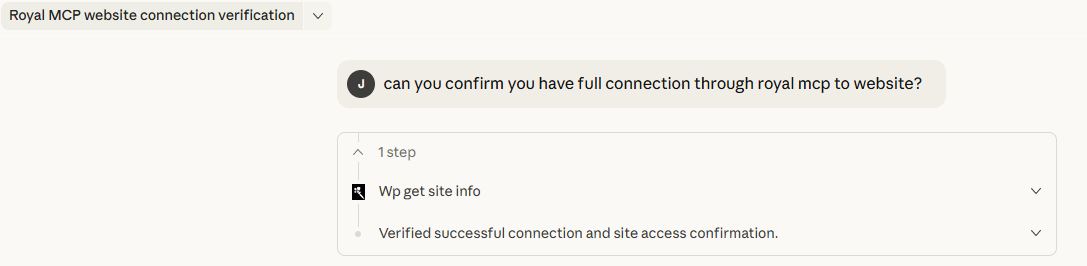
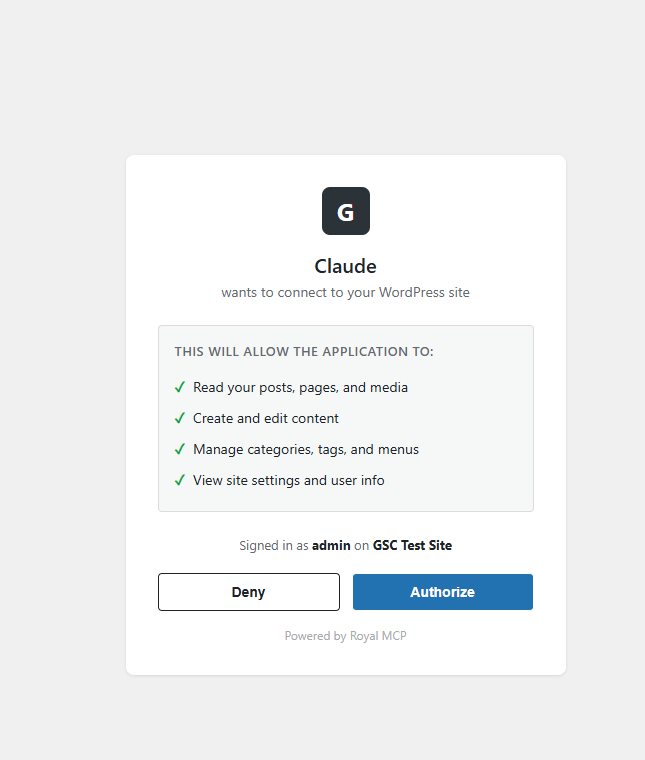
Installation
- Upload the
royal-mcpfolder to/wp-content/plugins/ - Activate the plugin through the ‘Plugins’ menu in WordPress
- Go to Royal MCP Settings to configure
- Copy your API key — you will need this to authenticate MCP connections
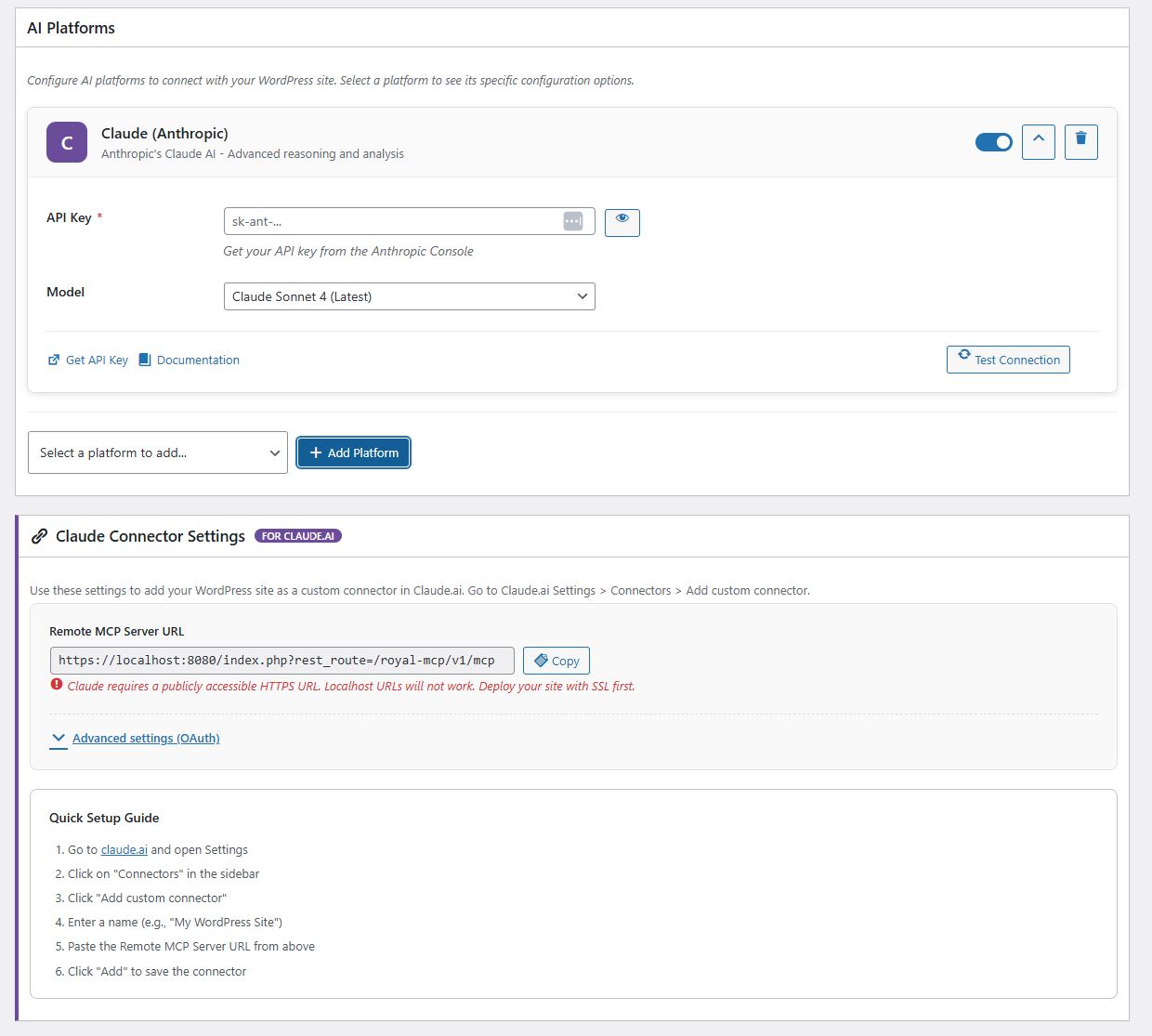
- Add your AI platform(s) and enter their API keys
- In your AI client (Claude Desktop, VS Code, etc.), configure the MCP server URL and API key
- New to MCP? Follow the step-by-step connection walkthrough (with videos) at royalplugins.com/support/royal-mcp/connecting-to-claude/
Full setup guides for each platform are available at royalplugins.com/support/royal-mcp/.
FAQ
-
What is MCP and why does my WordPress site need it?
-
Model Context Protocol (MCP) is an open standard created by Anthropic that lets AI assistants interact with external data sources. Without MCP, AI tools like Claude or ChatGPT can only work with content you copy and paste into them. With Royal MCP installed, these AI platforms can directly read your WordPress posts, create new content, manage your WooCommerce products, check your security status, and trigger backups — all through a structured, authenticated protocol.
-
How is Royal MCP different from other WordPress MCP plugins?
-
Security. Most MCP plugins — and 41% of all public MCP servers — have no authentication at all. Royal MCP requires an API key for every session, rate-limits requests to prevent abuse, logs every interaction for audit purposes, and filters sensitive data (emails, PHP version, admin credentials) from responses. We built this plugin with the same security standards we apply to GuardPress, our WordPress security plugin used on thousands of sites.
-
Does Royal MCP duplicate what WordPress core now does?
-
No. WordPress 6.9 added the Abilities API — a primitive for registering AI-callable functions — and the
wordpress/mcp-adapterpackage bridges abilities to the MCP protocol. Royal MCP is a full MCP server with the security layer, connector flows, and plugin integrations that the bare primitive does not include: enforced API key auth, OAuth 2.0 for Claude Desktop, per-IP rate limiting, audit logging, sensitive-data redaction, 67 ready-to-use WordPress core tools, and 60 integration tools that auto-load for WooCommerce, GuardPress, SiteVault, ForgeCache, Royal Ledger, Royal Links, Elementor, and Advanced Custom Fields. -
Does Royal MCP work with WooCommerce?
-
Yes. When WooCommerce is active, Royal MCP automatically adds 26 MCP tools spanning product management (simple and variable, including variation CRUD and global attribute management), full coupon management (list/get/create/update/delete + bulk trash purge), order management (view, update status), customer data, and store statistics. No additional configuration is needed — the tools appear automatically in the MCP tools list.
-
Can AI assistants configure my plugins for me?
-
Yes, with safety controls. Royal MCP exposes two tools for plugin configuration:
-
wp_get_plugin_settingslets AI read any plugin’s stored settings by slug. Sensitive values (API keys, secrets, tokens, passwords, license keys, OAuth credentials) are automatically replaced with[REDACTED]before they leave your server, so AI assistants can understand a plugin’s configuration without ever seeing stored credentials. -
wp_update_optionlets AI write to WordPress options, but only after passing three security gates:- The site admin must enable the “Allow AI to write WordPress options” toggle on the Royal MCP settings page (off by default)
- The option name must be in a runtime allowlist. The default allowlist is intentionally tiny —
blogname,blogdescription,posts_per_page,date_format,time_format. Plugin authors opt their own settings in via theroyal_mcp_writable_optionsfilter. - A hard denylist permanently blocks writes to sensitive option names (siteurl, home, license keys, secrets, salts, etc.) regardless of the allowlist or the toggle.
Plugin authors can opt in their settings with one line:
add_filter('royal_mcp_writable_options', fn($opts) => array_merge($opts, ['my_plugin_settings'])); -
-
How do I connect Claude Desktop to WordPress?
-
Install Royal MCP, go to Royal MCP Settings, and copy your API key and MCP server URL. In Claude Desktop, add a new MCP server configuration with the URL and include the
X-Royal-MCP-API-Keyheader with your API key. Full step-by-step guide at royalplugins.com/support/royal-mcp/. If the connection fails, see the next FAQ. -
The connector won’t connect — where do I start?
-
About 90% of “can’t connect” / “OAuth failed” / “tools missing” issues resolve in a basic 4-step pass before any host-specific fix is needed. In order: (1) update Royal MCP to the latest version (every recent release fixes meaningful OAuth edge cases), (2) run a conflict test — deactivate all other plugins, switch to a default theme like Twenty Twenty-Five, and purge every cache layer (any cache plugin, your host’s server-level cache, Cloudflare/CDN, and browser cache), (3) wipe stale OAuth state — use the Reset OAuth State button in Royal MCP Settings if you’re on 1.4.17 or newer, or run the four
DELETESQL queries documented in our support article, (4) check Royal MCP Activity Logs for the most recentoauth:row, which records exactly which validation rule fired. Full walk-through with copy-pasteable commands at royalplugins.com/support/royal-mcp/troubleshooting-start-here.html. Only proceed to host-specific fixes (Cloudflare AI Bots toggle, SiteGround/.well-known/static files, edge-cache exclusions) after the four basics are ruled out — most “advanced infrastructure” tickets we receive actually resolve in those four steps. -
I restored my WordPress database from backup and Claude can’t reconnect. How do I fix this?
-
When you restore from backup, the OAuth client credentials Claude was holding no longer match anything on the WordPress side, so Claude’s connector ends up with a stale token that no Royal MCP installation will accept. The fix in Royal MCP 1.4.17+ is one click: go to Royal MCP Settings and click the Reset OAuth State button. This wipes all stale OAuth clients, issued access/refresh tokens, and pending authorization codes. Then in Claude, delete the existing connector entirely, wait 30 seconds, and re-add it from scratch — the full OAuth flow runs fresh against the cleaned-up state and the connection works. On 1.4.16 or older the same effect can be achieved by running four
DELETESQL queries documented at royalplugins.com/support/royal-mcp/troubleshooting-start-here.html. The plugin’s settings, API key, and Activity Log are not affected by Reset OAuth State — only the OAuth handshake state. -
Claude says “Couldn’t register with sign-in service” or “Session not found” — what’s wrong?
-
Both messages (plus “no tools available” in Claude.ai after connecting) usually mean one of Royal MCP’s OAuth or sessions database tables is physically missing. The fix is to update Royal MCP to 1.4.29 or newer — the new runtime healer detects missing tables and recreates them automatically on the next pageload, with no deactivate/reactivate required. After updating, delete the existing Royal MCP connector in Claude, wait 30 seconds, then re-add it fresh. If you can’t update yet and need to recover immediately, the manual workaround is
wp option delete royal_mcp_db_versionfollowed by loading any wp-admin page. Full symptom diagnostic (phpMyAdmin / WP-CLI), the auto-heal explanation, and the manual recovery walkthrough are at royalplugins.com/support/royal-mcp/oauth-tables-missing.html. -
I’m auditing my install and can’t find the OAuth endpoints under `/wp-json/royal-mcp/v1/`. Where are they?
-
By design, Royal MCP’s OAuth endpoints (
/register,/token,/authorize) are registered as top-level WordPress rewrite rules at the site root, not as REST API routes under/wp-json/royal-mcp/v1/. This is required by the OAuth 2.0 specification (RFC 6749) and the MCP discovery specs (RFC 8414 and RFC 9728), which mandate predictable site-root paths so OAuth-discovery-aware clients can find them without per-plugin configuration. If you’re auditing rewrite rules instead of REST routes, you can see ours viawp rewrite list | grep royal_mcp_oauthfrom WP-CLI. The/wp-json/royal-mcp/v1/namespace contains the JSON-RPC tool endpoint at/mcpplus supporting REST routes (/posts,/pages,/site, etc.) — but not the OAuth handshake endpoints themselves. Both routing layers are normal and both need to be reachable for the connector to work end-to-end. -
Is my content safe?
-
Royal MCP is designed with defense in depth. API key authentication is required for all MCP sessions. Rate limiting prevents abuse (60 requests per minute per IP). Activity logging records every tool call. Sensitive data is filtered — user emails, usernames, admin email, PHP version, and stored credentials inside plugin settings (api keys, secrets, tokens, passwords) are never exposed through MCP. Comment creation respects your WordPress moderation settings. Post meta values are sanitized before storage. Option writes are disabled by default and gated by three independent checks (admin toggle, allowlist, hard denylist) when enabled. The plugin itself starts disabled by default — nothing is accessible until you explicitly enable it.
-
Can I use local AI models instead of cloud services?
-
Yes. Royal MCP supports Ollama and LM Studio for fully local AI inference. When using local models, no data leaves your server — the AI model runs on your own hardware and communicates with WordPress through the MCP protocol on localhost.
-
What happens if I uninstall Royal MCP?
-
Royal MCP performs a clean uninstall. All plugin options, database tables (activity logs), transients, and user meta are removed. No orphaned data is left behind.
-
Does Royal MCP work with Claude Code, VS Code, Cursor, Windsurf, or other AI IDEs?
-
Yes. Any MCP-compliant client can connect to Royal MCP. Configure your IDE or client with the MCP server URL (
https://yoursite.com/wp-json/royal-mcp/v1/mcp) and the API key (sent in theX-Royal-MCP-API-Keyheader). Claude Desktop additionally supports the native “Add Connector” OAuth 2.0 flow, which Royal MCP handles via Dynamic Client Registration (RFC 7591) — no manual API key management required on that path. The same OAuth flow works in any client that follows the MCP 2025-11-25 spec. -
Does Royal MCP work with custom fields, ACF, MetaBox, JetEngine, Pods, or CPT UI?
-
Yes. Royal MCP exposes WordPress’s standard
wp_get_post_meta,wp_update_post_meta, andwp_delete_post_metatools, which read and write any custom field — including Advanced Custom Fields (ACF), MetaBox, JetEngine, Pods, CPT UI, and Custom Field Suite. AI agents can populate ACF fields, set repeater rows, update flexible content blocks, and read computed fields just like a human editor working in the WordPress admin. -
Will Royal MCP slow down my WordPress site?
-
No. The MCP endpoint is a REST route that runs only when an authenticated AI client makes a request — it does not run on visitor-facing pages, frontend templates, or admin screens (except its own settings page). The activity log uses a single indexed database table and writes asynchronously after the response is sent. Rate limiting (60 requests/minute per IP) prevents accidental overload.
-
Does Royal MCP work on WordPress multisite networks?
-
Yes, on a per-site basis. Each site in a multisite network has its own API key, its own activity log, and its own settings. AI clients connect to a specific site’s MCP endpoint — Royal MCP does not bridge requests between sites in the network.
-
Can I limit which posts, pages, or post types AI can access?
-
Yes. The
wp_get_postsandwp_create_posttools accept apost_typeparameter and validate it against registered public post types, so private or internal post types are not exposed. Plugin authors can disable specific tools entirely with theroyal_mcp_disabled_toolsfilter, or scope the option-write allowlist withroyal_mcp_writable_options. WordPress’s standard capability checks also apply to every tool call. -
Does Royal MCP work with WPML, Polylang, or TranslatePress for multilingual content?
-
Yes. Translated posts appear as separate WordPress posts (each with its own ID and language meta) and are readable or writable via the standardwp_get_posts,wp_create_post, andwp_update_posttools. AI agents can list posts in a specific language by filtering on the language meta key, or translate a post and write the corresponding translation by ID. -
How do I monitor what AI is doing on my site?
-
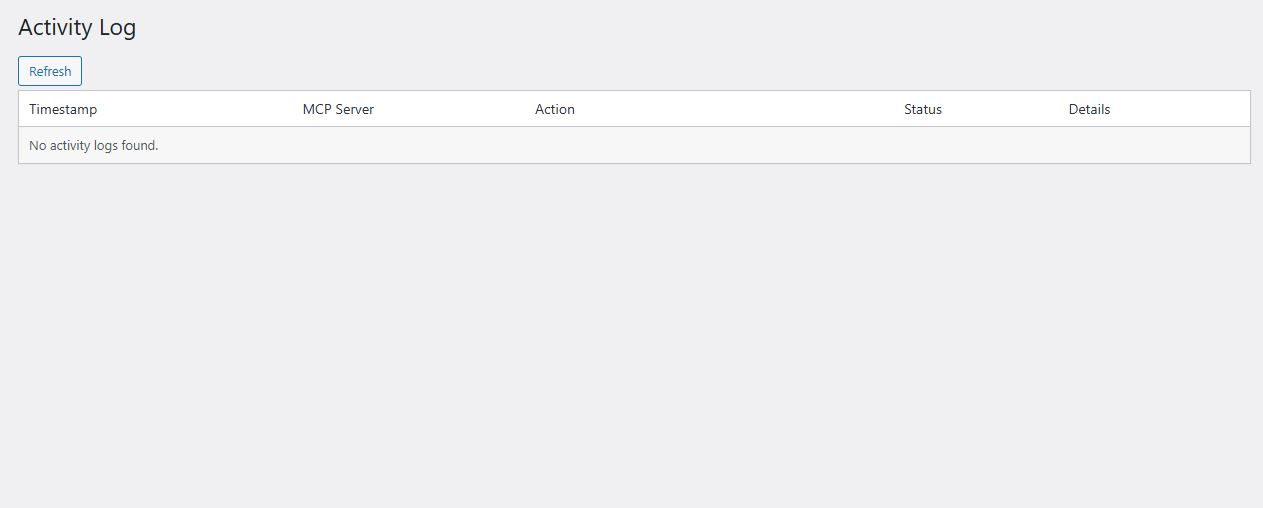
Every authenticated MCP request is logged to the Royal MCP activity log with timestamp, client IP, tool name, parameters (sensitive values redacted), and response status. The log is filterable by time range, client, tool, or status code, and exportable to CSV. The log page refreshes via AJAX so you can watch active sessions in real time.
Reviews


Contributors & Developers
“Royal MCP – Secure AI Connector for Claude, ChatGPT & Gemini” is open source software. The following people have contributed to this plugin.
Contributors
“Royal MCP – Secure AI Connector for Claude, ChatGPT & Gemini” has been translated into 1 locale. Thank you to the translators for their contributions.
Translate “Royal MCP – Secure AI Connector for Claude, ChatGPT & Gemini” into your language.
Interested in development?
Browse the code, check out the SVN repository, or subscribe to the development log by RSS.
Changelog
1.4.36
- Feature: New
wp_get_site_statustool returns WordPress, PHP, MySQL, plugin, theme, and environment info in a single call. - Feature: New
wp_get_error_log_tailtool returns the last lines of the debug log with optional keyword filtering. - Feature: New
wp_get_cron_scheduletool lists every scheduled event with next-run time and overdue flag. - Fix: HTML preserved in post meta, term meta, term descriptions, comments, order notes, post and page excerpts, and coupon descriptions.
- Feature: New
royal_mcp_meta_value_sanitizerfilter lets sites customize per-key sanitization. - Feature: Admin notice detects when Imunify360 is intercepting the OAuth discovery endpoints and links to a fix article.
- Feature: Admin notice detects when the site uses Plain permalinks and links directly to Settings -> Permalinks.
- Enhancement: Refined descriptions across several read tools.
- Enhancement: List responses on
wp_get_termsandwc_get_ordersinclude atotal_countfield.
1.4.35
- Fix: OAuth-authenticated MCP sessions remain valid across access-token rotation.
1.4.34
- Feature:
wp_update_post_metaaccepts any JSON type (string, number, boolean, array, object). - Feature: New
wp_add_post_metatool adds a meta row without overwriting existing values under the same key. - Feature: New
wp_get_termstool lists terms in any registered taxonomy with pagination. - Security: Meta-write tools reject strings that look like PHP-serialized payloads at the schema boundary.
1.4.33
- Feature:
wp_create_post,wp_update_post,wp_create_page, andwp_update_pageaccept adateparameter for scheduling and backdating. - Feature: Create-post and create-page status enum expanded to include
future,pending, andprivate. - Feature: New
royal_mcp_tool_calledaction hook fires after every MCP tool invocation with(tool_name, status, error_message). - Feature: Activity Log page surfaces a pointer to the free Royal AI Firewall plugin for HTTP-layer AI bot visibility.
1.4.32
- Feature:
wp_searchaccepts optionalsnippetandper_pageparameters for excerpted results. - Feature:
wc_get_ordersaccepts apageparameter and returns{orders, page, per_page, total, total_pages}. - Docs: General readme cleanup and updates.
1.4.31
- Hardening:
wp_delete_postcapability check runs before the post-existence lookup. - Hardening:
wp_get_post_metarequiresedit_postcapability for protected (underscore-prefixed) meta keys. - Hardening: Empty-string text fields on update tools preserve the existing value instead of blanking it.
- Enhancement: Every post-identifying tool accepts either
idorpost_id. - UX: New wp.org review-request banner on the settings page, dismissable per plugin version.
1.4.30
- Feature: New
elementor_add_widgettool builds Elementor pages widget by widget, with curated shortcuts for the 11 most common widget types and raw passthrough for the long tail. - Hardening:
elementor_add_widgetrejects unknown widget-type slugs at the boundary. - Hardening: Capability check order tightened in six integration tool wrappers.
1.4.29
- Fix: Runtime DB migration reliably creates the sessions and OAuth tables on all installs.
- Fix:
/registerself-heals when the OAuth tables are missing. - Fix:
uninstall.phpalso removes theroyal_mcp_db_versionoption for a fully clean slate on reinstall.
1.4.28
- Feature: MCP clients can send their API key via the standard
Authorization: Bearerheader in addition to the existingX-Royal-MCP-API-Keyheader. - Feature:
wp_get_seo_metaandwp_update_seo_metacover the post URL slug alongside the existing SEO fields.
1.4.27
- Reliability: MCP session state moved onto a dedicated
wp_royal_mcp_sessionstable. - Cleanup: Removed unused admin-AJAX handlers.
- Compliance: Reworded a section of the plugin description.
1.4.26
- Security: Per-tool WordPress capability checks added across all content, user, term, comment, and integration tools, with status filters converted to positive allowlists.
1.4.25
- UX: MCP Server URL surfaced at the top of General Settings as the canonical inbound URL for every client.
- Feature: New in-product MCP Client Setup Guides accordion covering Claude.ai, ChatGPT, Claude Desktop, and Cursor.
- UX: Outbound AI Provider Configuration renamed and separated from inbound MCP setup.
- UX: Legacy REST API Base URL and manual OAuth Client ID / Secret moved into an Advanced subsection.
- Enhancement: Universal admin icon alignment, keyboard focus rings on settings-page buttons, and improved helper-text contrast.
1.4.24
- Feature: Advanced Custom Fields integration — 4 tools (
acf_get_field,acf_get_fields,acf_update_field,acf_get_field_groups). - Fix:
wc_create_productrespects thetypeargument and creates the matching WooCommerce product class (Simple, Variable, Grouped, External). - Docs: Description and Installation sections point to the first-time setup walkthrough.
1.4.23
- Fix: AI Platforms model dropdowns refreshed across Claude, OpenAI, Gemini, Groq, and Bedrock.
1.4.22
- Fix: AI Platforms Test Connection on Claude uses the model selected in the dropdown.
- Fix: Manually-configured OAuth Client ID and Secret can be cleared through the UI.
- Hardening: OAuth root rewrite rules match both bare and trailing-slash variants.
- Feature: Admin notice detects host-side 301 redirects on POST
/register. - Feature:
.well-known/self-check detects when a plugin or theme intercepts the discovery endpoint with an HTML page.
1.4.21
- Fix: Gutenberg block content round-trips byte-for-byte through the post-write tools.
1.4.20
- Fix: WooCommerce order tools handle refund records without hanging.
1.4.19
- Feature: Six Elementor clone-and-customize tools (
elementor_clone_page,elementor_replace_text,elementor_replace_image,elementor_get_page_outline,elementor_list_local_templates,elementor_import_template). - Feature: Admin notice detects stale static
.well-known/oauth-authorization-serverfiles. - Docs: Elementor handling described explicitly in the page-builder section.
1.4.18
- Fix: Authenticated GET on the MCP endpoint is User-Agent-aware for the Anthropic session probe.
- Fix:
wp_update_menu_itemandwp_reorder_menu_itemspreserve fields that were not included in the update. - Docs: New FAQ entries for DB-restore recovery, OAuth endpoint locations, and troubleshooting.
1.4.17
- Fix: Authorization codes moved onto a dedicated
wp_royal_mcp_oauth_auth_codestable with atomic single-row consume. - Feature: New “Reset OAuth State” admin button clears registered clients, tokens, and pending auth codes in one click.
- Feature: MCP
tools/callrequests write a structured Activity Log entry on every invocation (argument keys logged, values excluded). - Fix: Activity Log “View Details” modal renders Request/Response JSON.
- Enhancement: Plugin admin CSS/JS use content-hash cache-busting.
1.4.16
- Feature: OAuth flow writes structured Activity Log entries on every
/token,/register, or/authorizefailure (auth codes, PKCE verifiers, secrets, and tokens are excluded).
1.4.15
- Fix: Regenerate API Key button reliably issues a new key.
- Enhancement: New API keys are 32-char lowercase hex to eliminate visual-ambiguity transcription errors; existing keys keep working.
- Enhancement: MCP sessions use a sliding 24-hour TTL with refresh-on-access.
- Hardening: All
/wp-json/royal-mcp/*responses sendCache-Control: no-store, no-cache, must-revalidate, private. - Hardening: Invalid API key returns HTTP 401 with
WWW-Authenticate: Bearerper RFC 7235.
1.4.14
- Fix: Unauthenticated GET on the MCP endpoint returns HTTP 401 with
WWW-Authenticate: Bearer resource_metadata="..."per RFC 9728 so web-based MCP clients trigger OAuth discovery correctly. - Feature: Self-check detects when the host blocks
/.well-known/oauth-authorization-serverand surfaces a dismissible admin notice with the manual fix.
1.4.13
- Hardening: OAuth endpoint responses (
/register,/token,/authorize) sendCache-Control: no-storeby default. - Feature: 10 WooCommerce variation and attribute tools covering CRUD, batch operations, and attribute-term management.
- Feature: 7 WooCommerce coupon management tools with full CRUD plus trash and purge.
1.4.12
- Enhancement: MCP
protocolVersionbumped to2025-11-25to match current Claude Desktop builds. - Fix: MCP GET stream returns HTTP 405 with
Allow: POST, DELETE, OPTIONS. - Enhancement:
wp_get_taxonomiesreturns aslugfield alias;wp_get_term_metareturns a structured response matching the rest of the term-meta family.
1.4.11
- Feature: New tools —
wp_update_term,wp_get_term_meta,wp_update_term_meta,wp_delete_term_meta,wp_get_taxonomies. - Enhancement:
wp_create_term,wp_delete_term, andwp_add_post_termsaccept any registered taxonomy. - Enhancement:
wp_create_termaccepts an optionalslug;wp_create_postandwp_update_postaccept apost_authoruser ID.
1.4.10
- Feature: Royal Ledger integration (4 tools), ForgeCache integration (3 tools), and Royal Links integration (3 tools), each auto-loading when the host plugin is active.
- Feature: SEO meta tools (
wp_get_seo_meta,wp_update_seo_meta) auto-detect the active SEO plugin and read/write title, description, focus keyword, robots, and OG fields. - Feature: Permalink structure tools and post revision tools (read history and revert).
1.4.9
- Feature: Theme appearance tools (active theme, theme mods, custom CSS read/write) gated by an admin toggle and a
royal_mcp_writable_theme_modsallowlist filter. - Feature: Menu item CRUD (create, update, delete, reorder) and comment moderation (pending list, approve, spam, trash).
1.4.8
- Fix: Custom connector setup succeeds on sites updated from an early build without a deactivate/reactivate cycle.
- Fix: Dynamic Client Registration (
POST /register) returns a real 500 with the underlying error when the DB write fails.
1.4.7
- Feature: New
wp_get_plugin_settingstool returns wp_options matching a plugin slug with sensitive keys redacted. - Feature: New
wp_update_optiontool gated by an admin toggle (off by default), theroyal_mcp_writable_optionsfilter, and a hard denylist for sensitive option names. - Security:
wp_get_optionredacts sensitive keys; outbound HTTP timeouts reduced to 10 seconds. - Docs: Refreshed plugin directory banners and tags.
1.4.6
- Feature: New tools —
wp_upload_media_from_url(SSRF-hardened),wp_upload_media(base64),wp_set_featured_image, andwp_update_media. - Enhancement:
wp_create_postandwp_update_postacceptfeatured_mediaattachment ID. - Enhancement: API-key authenticated requests run with administrator capability to match the trust level of the admin-only-accessible key.
1.4.5
- Feature: WordPress Playground live preview available from the plugin listing.
- Feature: Video walkthrough embedded on the plugin listing page.
1.4.4
- Feature: Custom post type support —
wp_get_postsandwp_create_postacceptpost_type, and a newwp_get_post_typestool discovers all registered public post types.
1.4.3
- Security: Access control on MCP REST API endpoints — all tool calls require an authenticated API key or OAuth Bearer.
1.4.2
- Security: Authentication enforced on every MCP request, with sessions bound to authenticated credentials.
1.4.1
- Fix: Resolved fatal error during activation on WordPress 7.0.
1.4.0
- Feature: OAuth 2.0 authorization server with Dynamic Client Registration (RFC 7591), PKCE-secured authorization code flow, token refresh with rotation, WordPress login consent screen, and discovery at
/.well-known/oauth-authorization-server. - Security: Access tokens stored as SHA-256 hashes; authorization codes single-use with 10-minute expiry; PKCE (S256) required; redirect URIs restricted to localhost or HTTPS.
1.3.0
- Feature: WooCommerce integration (9 tools), GuardPress integration (7 tools), and SiteVault integration (6 tools).
- Security: MCP endpoint requires API key (
X-Royal-MCP-API-Keyheader) with rate limiting at 60 requests per minute per IP and timing-safe comparison.
1.2.3
- Security: SSRF protection for outbound URLs; text domain renamed to
royal-mcp; menu slugs updated for wp.org compliance.
1.2.2
- Feature: Documentation link on the Plugins page and documentation banner on the settings page.
1.2.1
- Fix: Claude Connector setup guide link renders correctly.
1.2.0
- Security: Origin header validation against DNS rebinding, session ID format validation, MCP 2025-03-26 Streamable HTTP spec compliance, and new
royal_mcp_allowed_originsfilter.
1.1.0
- Feature: Multi-platform AI support (Claude, OpenAI, Gemini, Groq, Azure, Bedrock), Claude Desktop MCP connector, activity logging, and connection testing.
1.0.0
- Initial release.