
Description
By default the Advanced Posts Block from Blocksy theme returns couple of posts in a given order provided by the query loop logic (i.e. “date”). This plugin allows you to select and arrange specific posts manually.
It also adds a LMDM Teaser inserter entry. When selected, it inserts the original Blocksy Advanced Posts block with Inherit From Customizer already chosen.
Attention
You need to install the Blocksy Theme first. Without it, you can not use this plugin.
Plugin Features
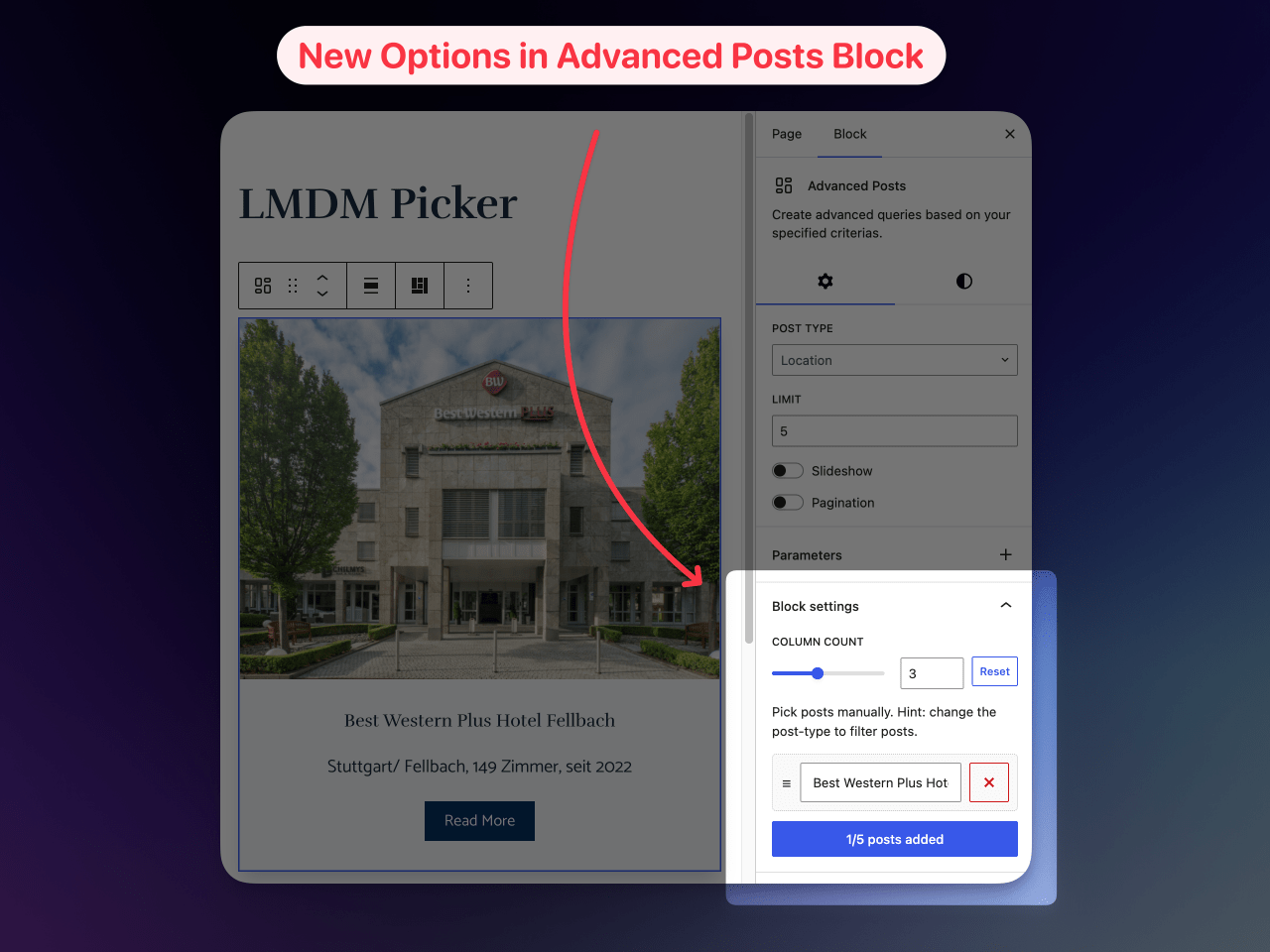
✔ adds a new block panel “Block Settings” in Advanced Posts Block of Blocksy Theme
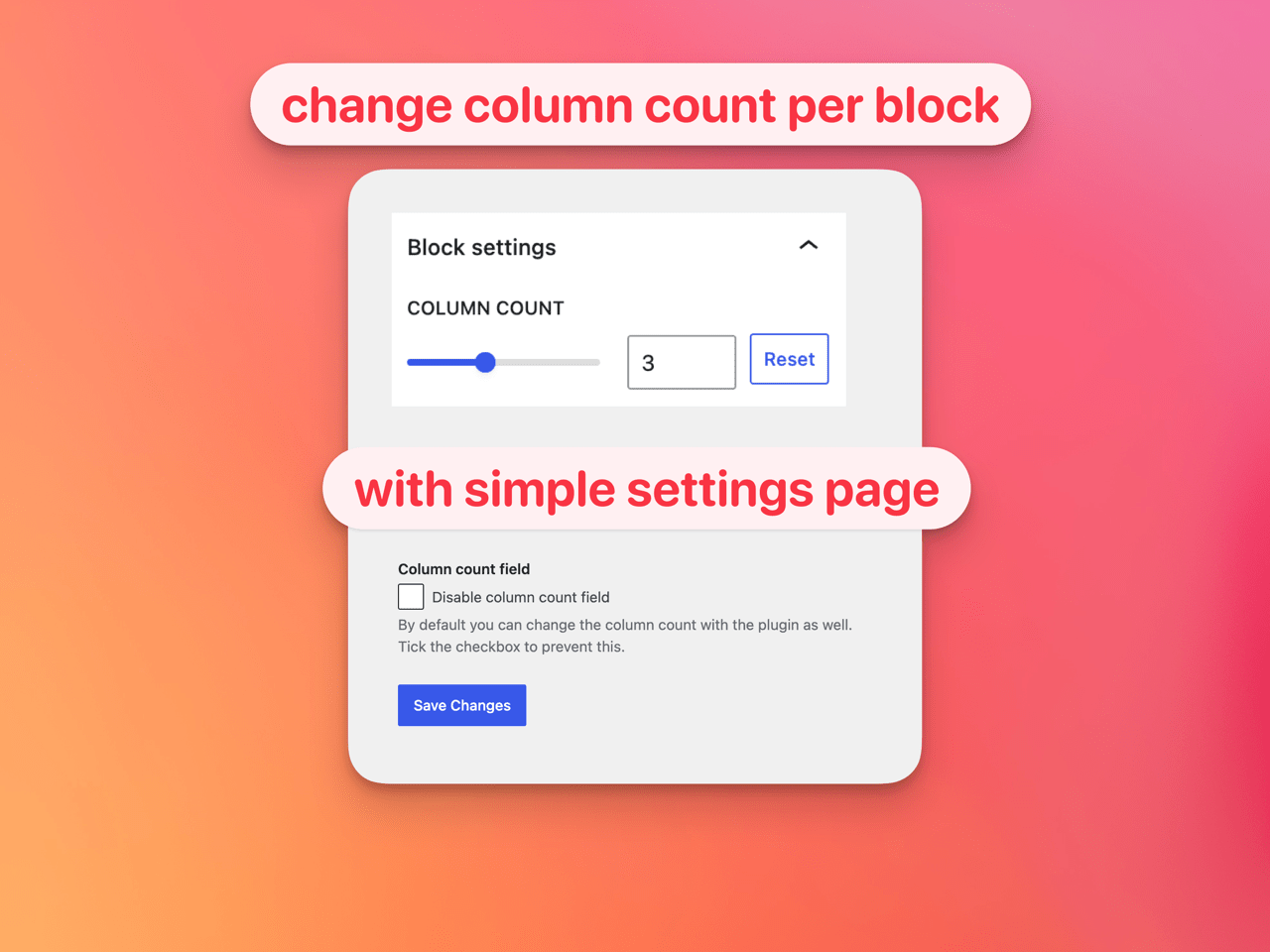
✔ the panel contains a range field for custom column count of the block (maximum are 6 columns)
✔ the column field inherits the default column count setting from customizer of the given post type
✔ the panel can filter out posts without a featured image
✔ the panel can hide individual Blocksy card layers like title, excerpt, featured image, post meta or read more
✔ the panel can override the visible text of the Blocksy “read more” layer per block
✔ the panel can override the initial and hover background/text colors of the Blocksy “read more” button when the read more layer uses the background button type
✔ the panel automatically maps the selected initial read more button colors to their matching hover colors until the hover colors are customized
✔ the panel opens automatically when custom block settings are active
✔ the panel contains a reset button for custom column count, image filtering, hidden card layers, read more text and read more button colors
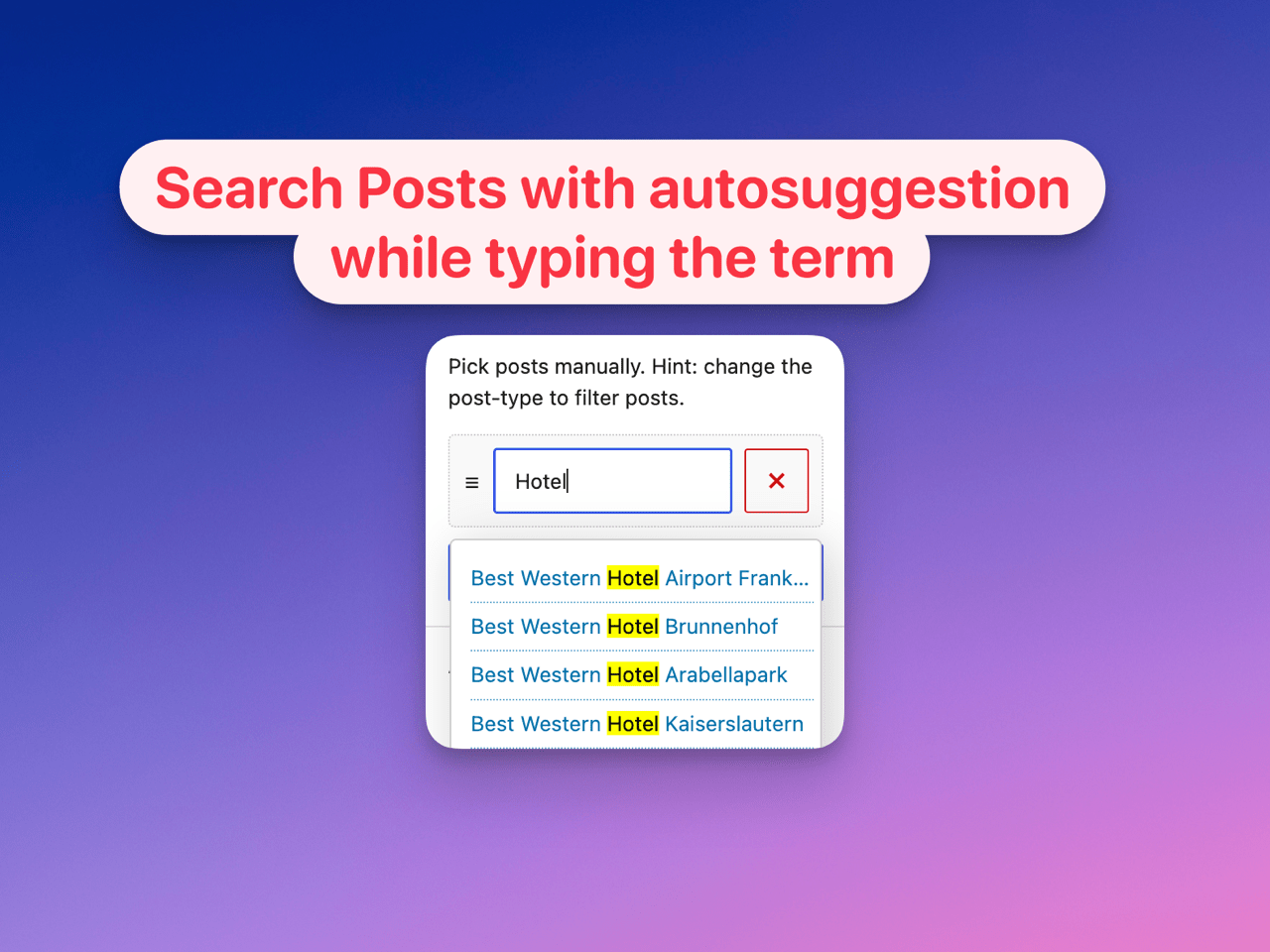
✔ the panel contains a repeater field where each text field has the ability to search for desired posts
✔ the search field offers a results lists with highlighted search terms
✔ the search result items have a tooltip info containing the post-id and excerpt
✔ the repeater field supports manual order of the posts by drag and drop mechanism
✔ sets a limit of the repeater field by using the LIMIT value of the block. Want to search for more posts? Increase the LIMIT value
✔ adds a LMDM Teaser inserter entry that creates an Advanced Posts block with Inherit From Customizer selected automatically
Screenshots
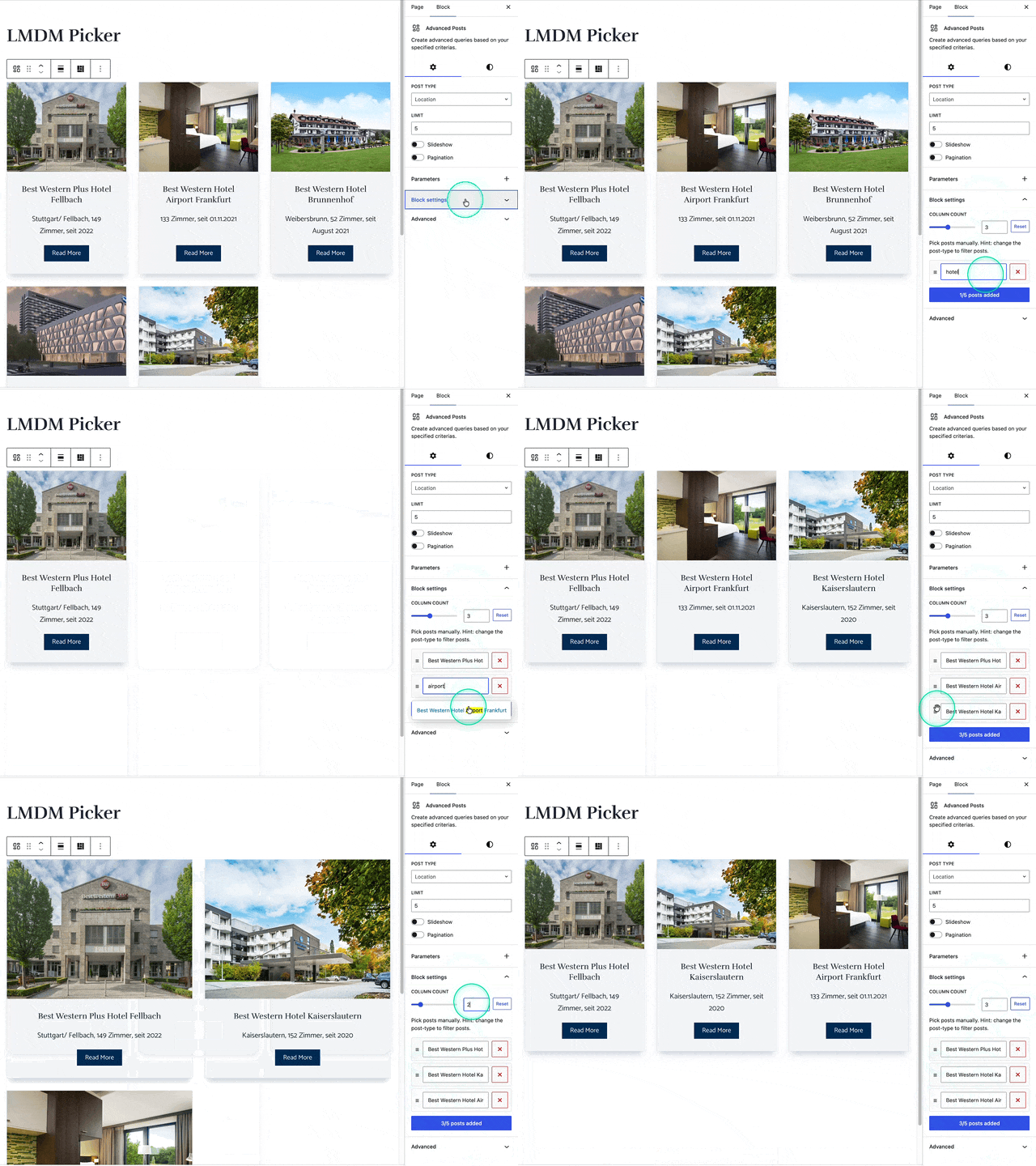
Installation
- Upload the plugin files to the
/wp-content/plugins/lmdm-picker-for-blocksy-advanced-posts-blockdirectory, or install the plugin through the WordPress plugins screen directly. - Activate the plugin through the Plugins screen in WordPress
- Use the Settings LMDM Picker screen to configure the plugin defaults
- Use the plugin functions through the block
Advanced Postsprovided by Blocksy Theme - Insert
LMDM Teaserwhen you wantAdvanced Poststo start withInherit From Customizerselected automatically
FAQ
-
Does it create a new block?
-
It registers a new inserter entry called
LMDM Teaser, but it does not create a separate frontend block. InsertingLMDM Teasercreates the original BlocksyAdvanced Postsblock with theInherit From Customizerlayout already selected. -
It is a shortcut for the first setup option of the Blocksy
Advanced Postsblock. Instead of insertingAdvanced Postsand then clickingInherit From Customizer, you can insertLMDM Teaserand the plugin sets the block attributedesigntodefaultautomatically. -
Yes. After insertion it is the regular Blocksy
Advanced Postsblock, so all Blocksy settings and all picker settings from this plugin stay available. -
The Gutenberg color pickers appear only when the active Blocksy card layout contains a visible
read_morelayer and that layer’sbutton_typeisbackground. Theme palette colors are stored as Blocksy CSS variables likevar(--theme-palette-color-1), while custom colors are stored as the selected color value. When selectingButton BackgroundorButton Text Color, the matching hover color is filled automatically as long as the hover value is empty or still matches the previous base value. The hover controls can still be changed independently afterwards. On render, the plugin writes the values to--theme-button-background-initial-color,--theme-button-background-hover-color,--theme-button-text-initial-colorand--theme-button-text-hover-coloron theAdvanced Postsblock wrapper. -
What are use cases for this plugin?
-
Sometimes you simply need more control of the posts returned by the Advanced Posts block. This plugin gives you full control of it.
-
Does it load any additional assets in the frontend?
-
No, it just adds some CSS-classes for changing the column count of the posts grid
-
What happens when i disable the plugin?
-
You can easily disable and delete the plugin without any harmful effects. The Advanced Posts Block will return the posts in the former way.
-
How to look for posts of custom post types?
-
You need to change the
POST TYPEvalue in the block settings first place. -
How to increase the default limit?
-
You need to increase the value in the default
LIMITfield of the block second place. -
Why can i not find a specific post?
-
Be sure the post is published and the desired
POST TYPEis selected in first place. Also keep in mind you can not add a post which is already picked and you can not pick a post inside of it’s current post. -
Where to change the default column count?
-
It’s inherited from customizer settings. Change it there and it will reflect in plugin panel field.
-
The column count does not change
-
The column count is just changing beyond 782px and above. Below that value it will inherit the values from customizer still.
-
The WordPress-User “nicmare” vibe coded it. Means he had the idea of the plugin and uses AI to craft the code.
Reviews
There are no reviews for this plugin.
Contributors & Developers
“LMDM-Picker for Blocksy Advanced Posts Block” is open source software. The following people have contributed to this plugin.
Contributors
Translate “LMDM-Picker for Blocksy Advanced Posts Block” into your language.
Interested in development?
Browse the code, check out the SVN repository, or subscribe to the development log by RSS.
Changelog
1.4.10
- syncs
Button Background HoverfromButton Backgroundwhile the hover value has not been customized - syncs
Button Text Color HoverfromButton Text Colorwhile the hover value has not been customized
1.4.9
- added
Button Background Hoverfor--theme-button-background-hover-color - added
Button Text Color Hoverfor--theme-button-text-hover-color - renders all read more button initial and hover colors on the Advanced Posts block
1.4.8
- renamed the read more button background control to
Button Background - added a
Button Text Colorcontrol for theread_morebackground button - renders the selected text color as
--theme-button-text-initial-coloron the Advanced Posts block
1.4.7
- added a Gutenberg color picker for the
read_morebackground button color - stores selected Blocksy theme palette colors as
var(--theme-palette-color-N) - renders the selected value as
--theme-button-background-initial-coloron the Advanced Posts block
1.4.6
- added a
LMDM Teaserinserter entry for the BlocksyAdvanced Postsblock LMDM TeaserinsertsAdvanced PostswithInherit From Customizerselected automatically- documented the
LMDM Teaserbehavior in the description, feature list and FAQ
1.4.3
- added two new block options: exclude posts without images and make whole cards clickable
- added “hide card layer” toggles
- added read more text overwrite input
1.4.1
- added a “hide posts without image” setting for the Blocksy Advanced Posts block
- added per-block toggles to hide active Blocksy card layers
- added a per-block read more text override for the
read_morelayer - added an automatic panel-open state when custom block settings are active
- added a reset button for custom column count, image filtering, hidden card layers and read more text
1.2
- updated plugin assets
1.1
- added plugin assets
1.0
- first release of the plugin