Description
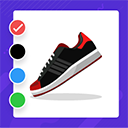
Product Variation Swatches for WooCommerce is an exciting WooCommerce extension that allows you to display product variations with nice color, image and text/label swatches for your variable products.
Product Variation Swatches for WooCommerce will allow you to change the default dropdown fields for variable products offered by WooCommerce. You must acknowledge that your store visitors prefer a graphical or visual representation of various product attributes. Visual representation also helps to promote a professional and polished look of your store.
With Product Variation Swatches for WooCommerce you can add exciting and descriptive visual looks for your variable products with just a few simple steps. The exciting swatches will give your store visitors an impressive experience and turn visitors into customers.
Product Variation Swatches for WooCommerce Features:
- Change the default WooCommerce dropdown to exciting clickable swatches.
- Add color swatches for color attributes.
- Add image swatches for image attributes.
- Add text swatches for label/size attributes.
- You can add numerous terms under each attribute.
- Enable or disable plugin default stylesheet.
- Change the attribute behavior for disabled attributes.
- Select different swatch styles (round or square).
- Ability to adjust swatch (width and height).
- Show or hide tooltip for each product attribute.
- Option to customize tooltip {font size, background color, text color}.
- Ability to enable or disable border style for swatches with custom color.
How will Product Variation Swatches for WooCommerce benefit you:
- Flexible customization options to illustrate your taste and best store appearance.
- Get an exciting look for the product page of variable products.
- Customers will be able to pick their desired product instantly.
- Easy to use features will increase your productivity.
- Convert visitors into customers effortlessly.
Installation:
Installing Product Variation Swatches for WooCommerce is conventional like most WordPress plugin installation. There should not be any problem for you.
The only requirement for before you install Product Variation Swatches for WooCommerce is that you must have WooCommerce installed and activated in your store. As the plugin works on WooCommerce products you will get a warning if WooCommerce is missing. To be on the safe side please make sure you have WooCommerce (minimum version 3.00) installed and activated.
How does Product Variation Swatches for WooCommerce Work:
You can get started with Product Variation Swatches for WooCommerce in just a few steps. First of all, go to the “Attributes” section under WooCommerce “Product” menu. You will find some default attributes that already exist there. Delete the existing attributes from there. Now add new attributes from the “Add new attribute” option. Select the type from the dropdown option and then finally add them. There are three different “types” {Color, Image & Label} that you can choose.
Now you have to configure terms for those attributes. Under the color attribute, you can add different color names and choose a color for them from the color picker. For the images, you have to upload images and give them proper term names. You can also use existing images here. Finally, for the label attribute choose a name and any number of characters for the swatch terms. You can add or modify the terms at any time you want.
Finally, you have to add them to your variable products. Go to the edit product section of your variable products. Find variations from the product meta box section and delete the existing variations from there. If there are no variations added then you can skip this step.
Next, you have to add the new variations for your product from the “Attributes” meta box. Click on the attribute name and select values for it.
You can either select all or specific values related to a product.
One last step, go to variations and make all the combinations that you need for your variations. Once you save changes and update your product the beautiful swatches will appear for your product.
Compatibility:
Product Variation Swatches for WooCommerce requires WooCommerce and the minimum required version is 3.00. Apart from that, it is compatible with all WooCommerce themes. Though we did not experience any problem but there can be issues as WordPress and WooCommerce host a huge number of themes and plugins.
Screenshots

Select Variation in Front End 
Cross Out stock Swatches 
Blur Disabled Attributes 
General Settings 
Shape Style Settings 
Tooltip Settings 
Border Style Settings 
Color Swatches 
Image Swatches 
Attribute Types 
Installation
- Upload the plugin files to the
/wp-content/plugins/wc-variation-swatchesdirectory, or install the plugin through the WordPress plugins screen directly. - Activate the plugin through the ‘Plugins’ screen in WordPress
FAQ
-
How will Product Variation Swatches for WooCommerce add value to my store?
-
The decorative swatches will enhance your visual representation of variable products with easy to select options.
-
Can I ask/suggest for a new feature?
-
Yes, of course. We do not create products for ourselves. You are always welcome to suggest new features and improvements.
Reviews


Contributors & Developers
“Product Variation Swatches for WooCommerce” is open source software. The following people have contributed to this plugin.
Contributors

Translate “Product Variation Swatches for WooCommerce” into your language.
Interested in development?
Browse the code, check out the SVN repository, or subscribe to the development log by RSS.
Changelog
1.0.4 (20 Nov, 2022)
- Fix – Compatibility with WP v6.1
- Fix – Compatibility with WC v7.1
1.0.3 (28 Sept, 2022)
- Fix – Compatibility with WP v6.0.2
- Fix – Compatibility with WC v6.9.4
1.0.2 (27 May, 2021)
- Fix – Compatibility with WP v5.7.2
- Fix – Compatibility with WC v5.3.0
1.0.1 (24 October, 2019)
[Fix] WC compatibility with 3.7.1
[Fix] WP compatibility with 5.2.4
[Fix] Preview image in product attribute
1.0.0 (1st September, 2019)
Initial release