

Description
Consenteer is a cookie consent management platform (CMP). This official plugin
adds the Consenteer banner to your WordPress site without touching your theme:
- 2-minute setup: create an account on my.consenteer.com, add your site,
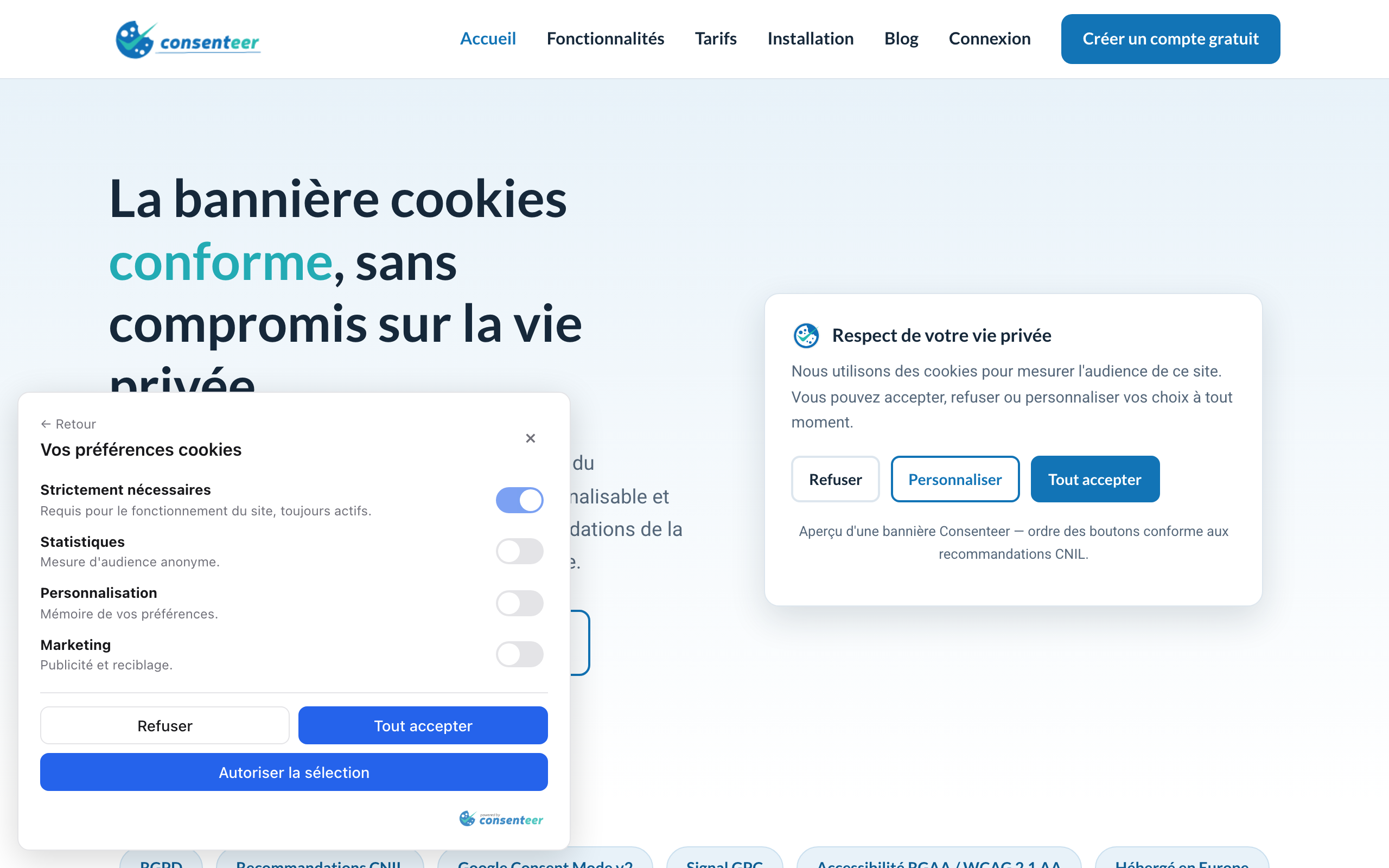
paste the Site ID in the plugin settings. - GDPR / CNIL compliance: Refuse / Customize / Accept-all buttons with equal
weight, consent records, permanent re-access to the choice. - Google Consent Mode v2 built in (ad_storage, analytics_storage… signals).
- Global Privacy Control honored, auto-blocking of third-party scripts,
refused cookies cleanup. - Full customization from your dashboard — formats, colors, light/dark
theme, multi-language — with no redeploy of your site. - “Manage my cookies” block and
[consenteer_preferences]shortcode for the
re-consent link of your footer or privacy policy. - Site Health checks: WordPress tells you if the banner is active and if a
tracking tag manages to load before the consent default.
The built-in connection check detects the usual mistakes (unknown Site ID,
undeclared domain) right from the WordPress admin, and the plugin warns you if
a second cookie consent plugin is active (two banners on the same page).
The interface ships in English and French.
External services
This plugin relies on the Consenteer platform (a third-party service):
- The banner script is loaded from
https://cdn.consenteer.comon the public
pages of your site. - The visitor’s browser talks to
https://saas.consenteer.comto load the
banner configuration and record consent choices (purpose: GDPR Art. 7 proof
of consent). IP addresses are never stored in clear text (salted hash,
server side). - From the WordPress admin only, the plugin calls
https://saas.consenteer.com to verify your Site ID.
Provider: Consenteer — https://www.consenteer.com
Terms of service: https://consenteer.com/cgu/
Privacy policy: https://consenteer.com/confidentialite/
A Consenteer account is required (a free plan is available).
Screenshots

Blocks
This plugin provides 1 block.
- Manage my cookies A link that reopens the Consenteer cookie banner, so visitors can change their consent at any time.
Installation
- Install and activate the plugin.
- Create an account on https://my.consenteer.com/signup and add your site (the declared domain must be your WordPress domain).
- Copy the Site ID from the Installation page of the dashboard.
- Paste it in the Consenteer menu of your WordPress admin, tick “Show the consent banner”, save. The connection status is displayed immediately.
FAQ
-
Check the status in the Consenteer menu of your admin. The most frequent cause: your
WordPress domain is not the one declared for this site in your Consenteer
dashboard (banners are domain-locked). -
How can visitors change their choice later?
-
The Consenteer floating icon allows it by default. You can also add the
“Manage my cookies” block to your footer, use the[consenteer_preferences]
shortcode, or give any link the CSS classconsenteer-open-prefs. -
Go to Tools Site Health. Two checks are added by the plugin: one for the
connection to your Consenteer account, one that reads your home page and
verifies that the Google Consent Mode default is pushed before every tracking
tag. -
Does the plugin slow my site down?
-
No: a single ~50 KB script loaded with
deferfrom a CDN, and no server-side
request on public pages.
Reviews
There are no reviews for this plugin.
Contributors & Developers
“Consenteer — Cookie Consent (GDPR & Google Consent Mode v2)” is open source software. The following people have contributed to this plugin.
Contributors
Translate “Consenteer — Cookie Consent (GDPR & Google Consent Mode v2)” into your language.
Interested in development?
Browse the code, check out the SVN repository, or subscribe to the development log by RSS.
Changelog
1.1.0
- New: “Manage my cookies” block for the block editor (no shortcode needed).
- New: two Site Health checks — connection status, and a home page analysis
verifying that no tracking tag loads before the Consent Mode default. - New: warning when another cookie consent plugin is active, and a note when a
Google tag plugin is detected (nothing to change, Consent Mode covers it). - New: option to hide the banner from logged-in administrators.
- Improved: redesigned admin screen with its own top-level menu, connection
status badge and a guided first-run setup.
1.0.0
- Initial release: snippet injection, settings screen with connection check,
“Manage my cookies” shortcode, French translation.