
Description
Features
All features are provided in their entirety. No features are locked behind any add-ons.
- Full iCal / ICS import & export
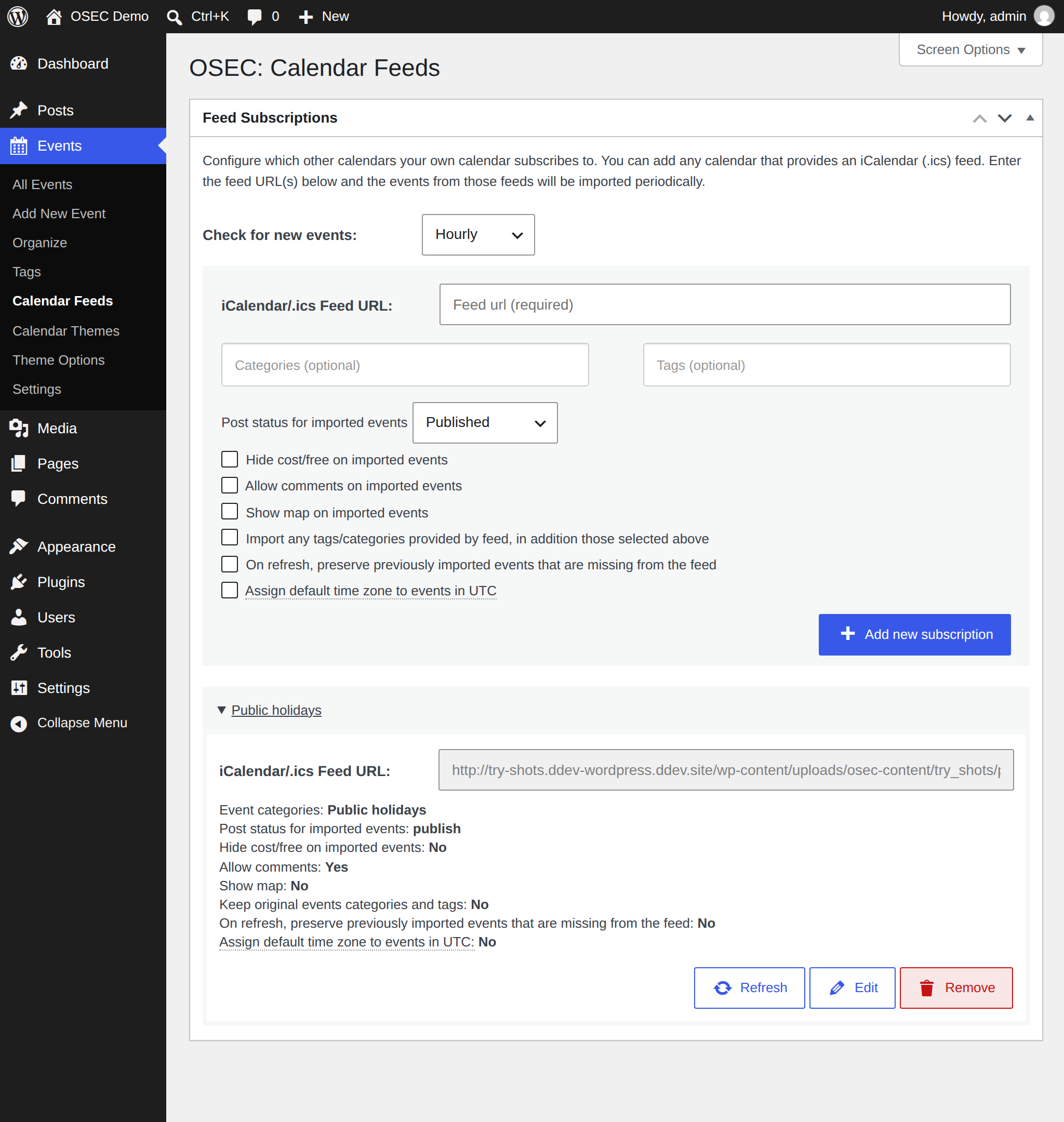
- Automatically import external calendars
- Categorize and tag imported feeds
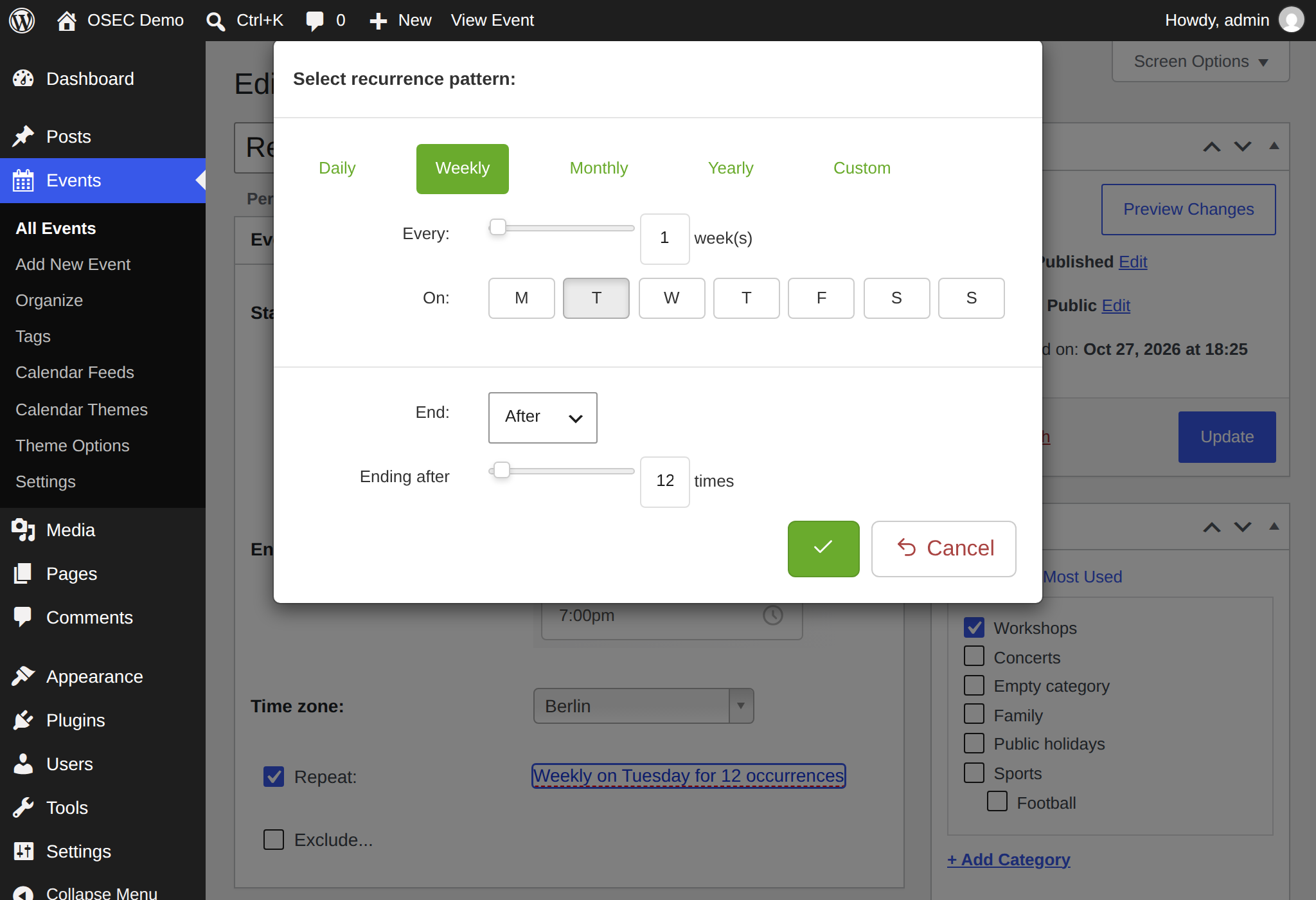
- Recurring events, including complex recurrence rules (RFC 5545)
- Filtering by category and tag
- Calendar sharing with Google Calendar, Apple iCal, Outlook, and any other system that accepts iCalendar (.ics) feeds
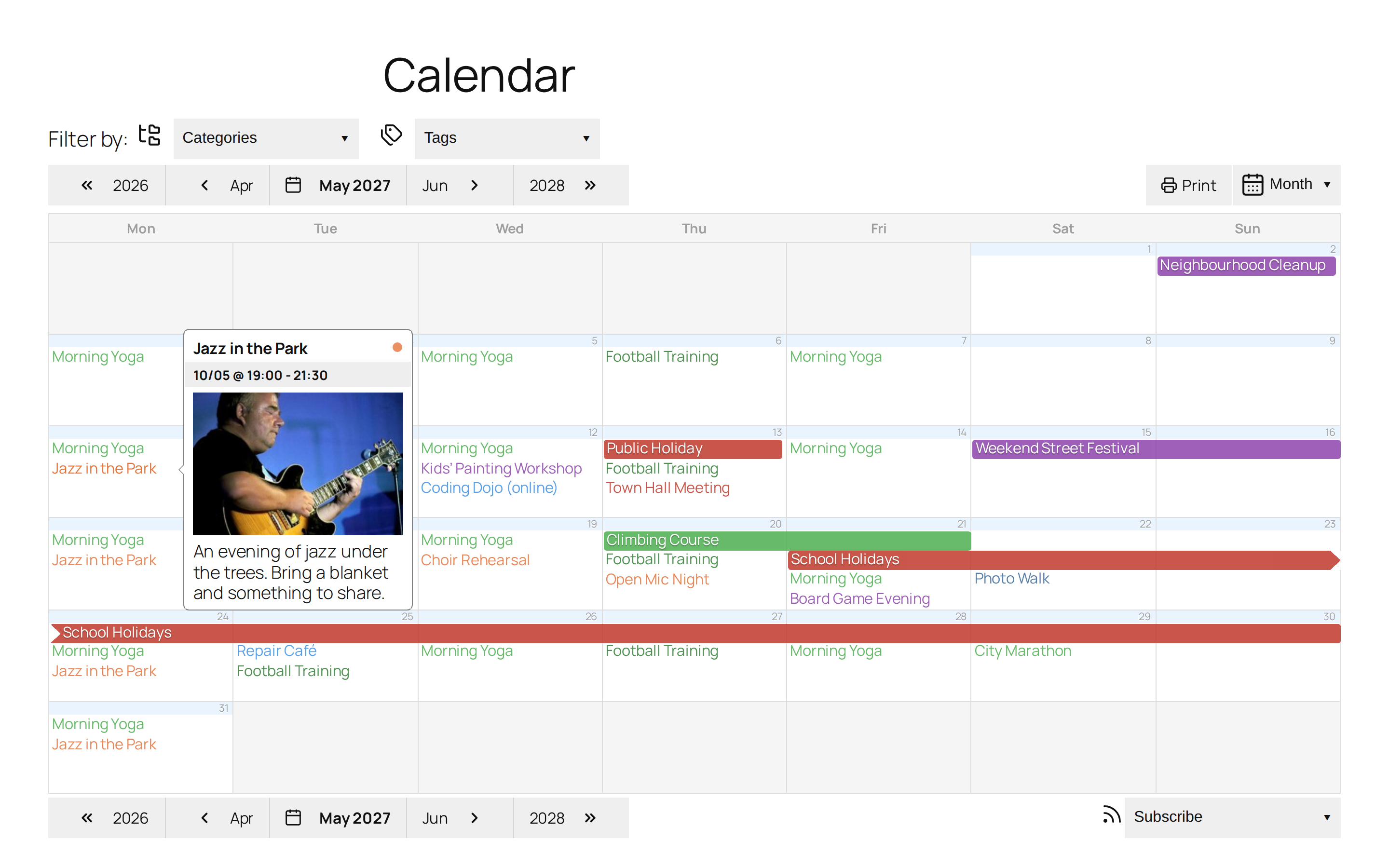
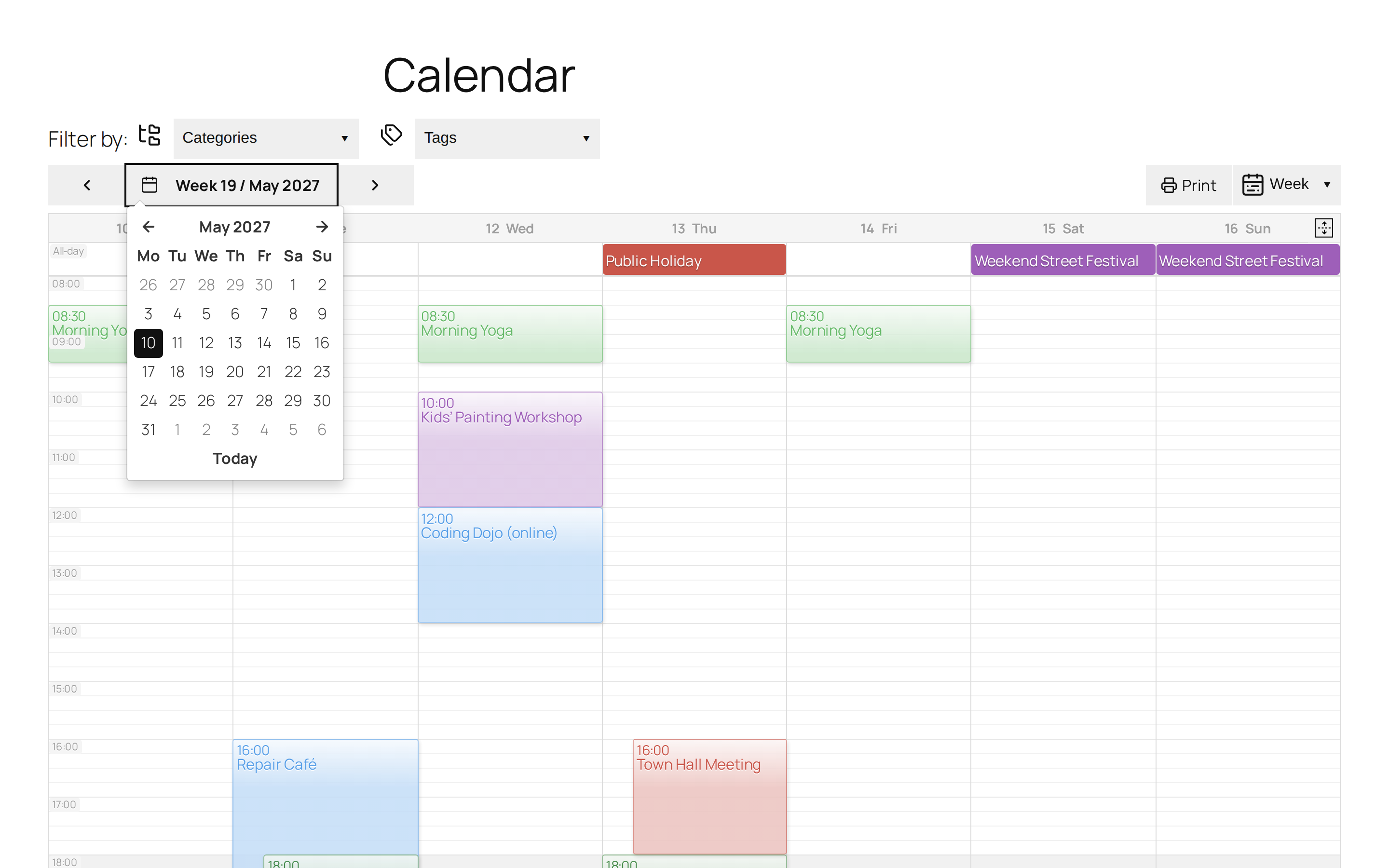
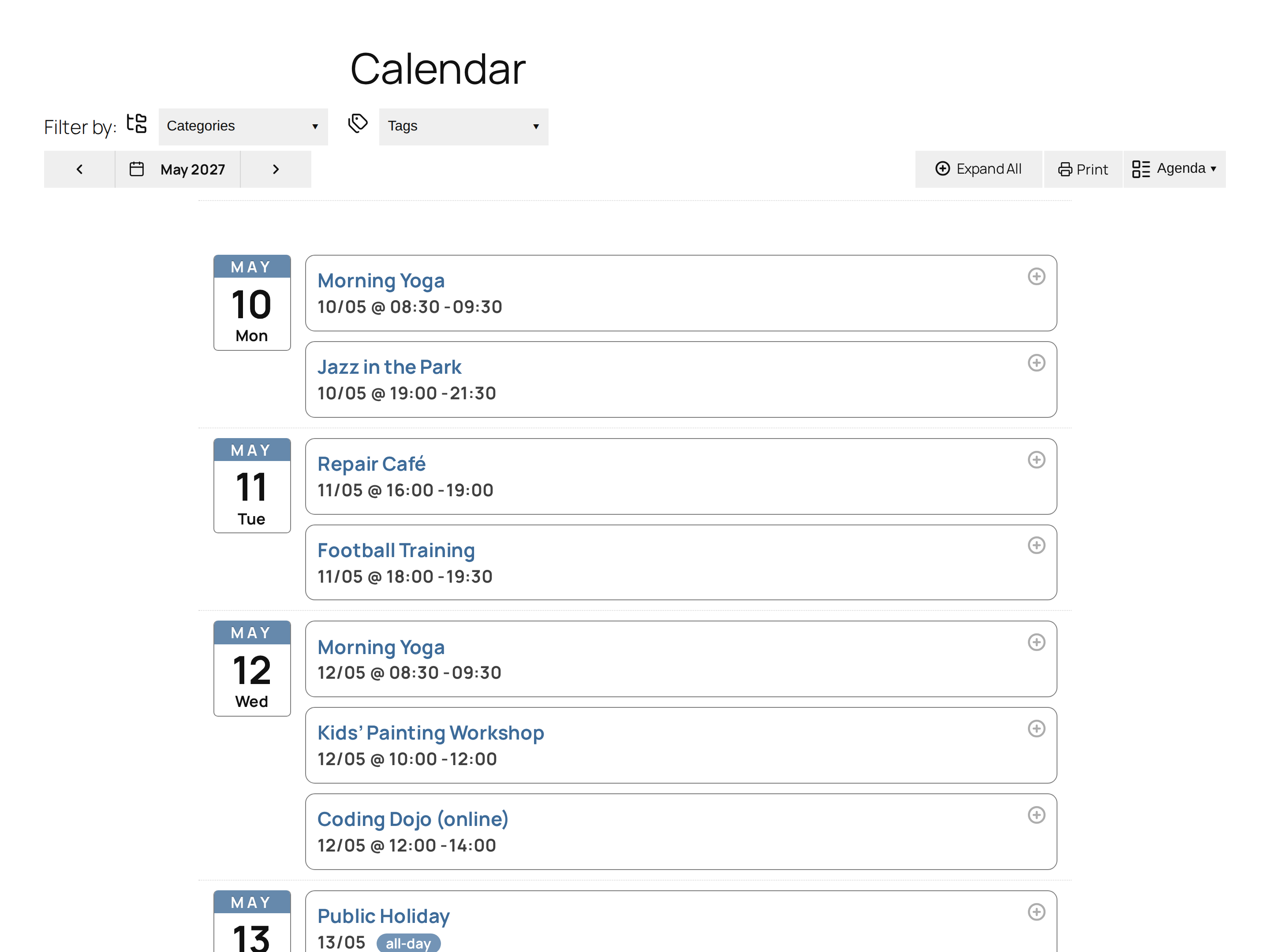
- Month, week, day, and agenda views
- Upcoming Events Gutenberg block
- Direct links to filtered calendar views
- Color-coded events by category
- Featured event images and category images
- SEO-optimized event pages
- Mobile-friendly and responsive layouts
- Embedded OpenStreetMap
- Plana follows your WordPress theme’s colours and font sizes; adjust them in Theme Options
- Your calendar can be embedded into a WordPress page without needing to create template files or modify the theme.
Import events from other calendars and offer users the ability to subscribe to your calendar.
Importing and exporting iCalendar (.ics) feeds is one of the strongest features of the Event Calendar system. This allows you to manage your websites calendar by providing a public calendar from your Google, Apple or other calendar management software.
Blocks
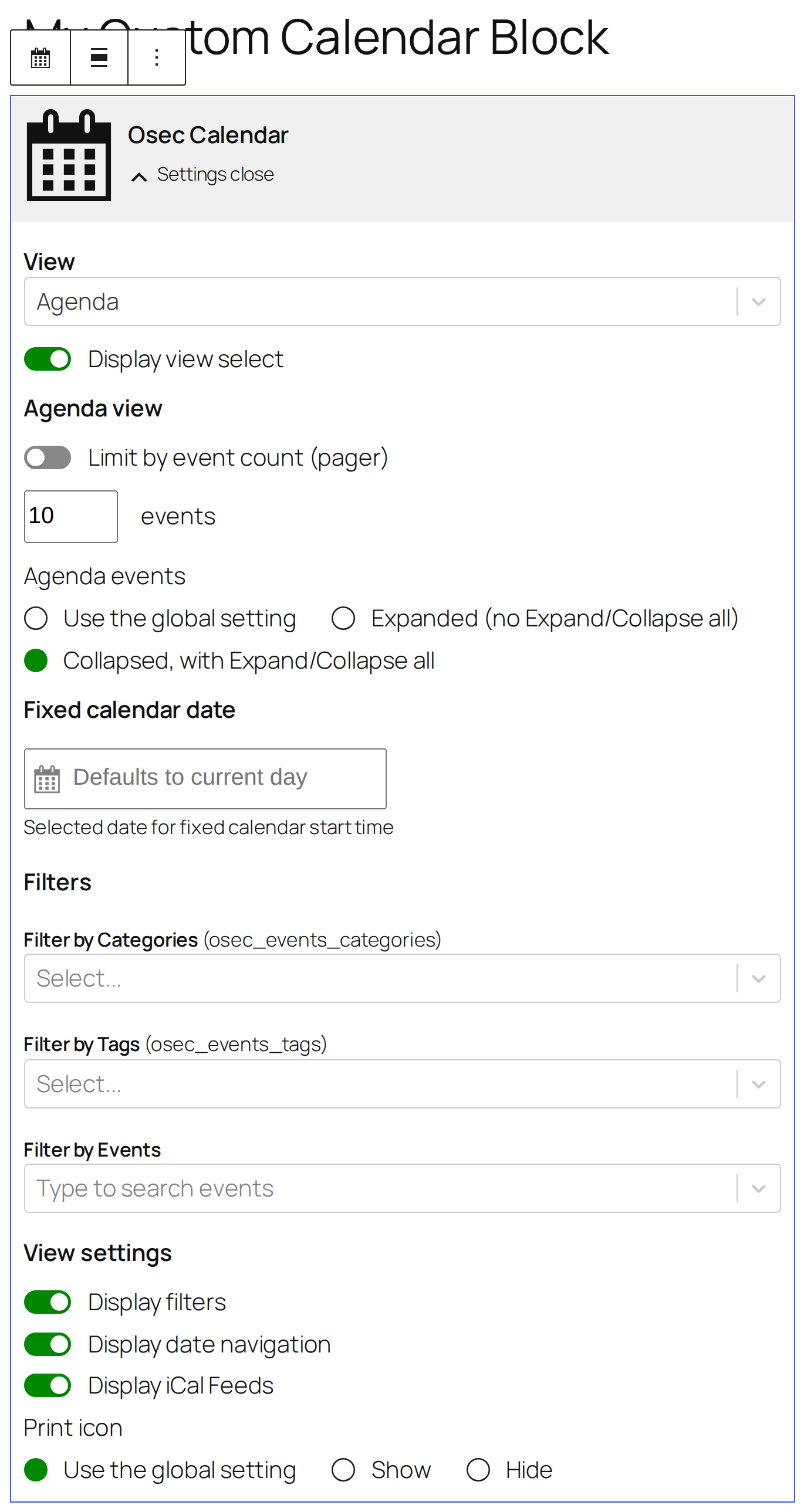
You can embed the calendar by adding a OSEC Calendar Block to any page or post. Alternatively there is a shortcode available.
[!WARNING]
At this time, only one calendar per page or post is supported.
On the long run it’s planned to have a Rest API to allow the calendar being rendered with more modern frontend tools than the current, improved Bootstrap 3 stuff.
Shortcodes
Calendar Views
[osec]                       // Default view per settings
[osec view="monthly"]
[osec view="weekly"]
[osec view="agenda"]
[osec view="daily"]
Filtering
By category
[osec cat_name="Holidays"]
[osec cat_name="Lunar Cycles,zodia-date-ranges"]
[osec cat_id="1"]
[osec cat_id="1,2"]
By tag
[osec tag_name="tips-and-tricks"]
[osec tag_name="creative writing,performing arts"]
[osec tag_id="1"]
[osec tag_id="1,2"]
By post ID
[osec post_id="1"]
[osec post_id="1,2"]
Requirements
- WordPress: 6.7 or newer
- PHP:
- PHP 8.2+ required for development
- PHP 8.1 may work for production builds when installed with
composer install --no-dev
Languages
OSEC supports multiple languages
This Is a Fork
OSEC is a fork of the GPL licensed plugin All-in-one-Event-Calendar by Timely. At it’s time a great plugin with a solid but unmaintainable codebase (not all required developer tools where opensourced).
If you love truly open source software and don’t mind to get your hands dirty you should join here. Free people need free software to manage and share events in a selfhosted manner.
External services
OSEC may connect to OpenStreetMap to render maps. If you using maps feature make sure you agree with Terms of Service
OSEC may connect to OpenStreetMap Nominatim geocoding API. Terms of Service.
You may need to switch the servive on a heavy traffic site as Nominatim allows an absolute maximum of 1 request per second.
Leaflet and leaflet-control-geocoder are bundled with the plugin, so rendering a map does not request
them from a third party.
You can load them from elsewhere, for example a CDN, using the hooks osec_leaflet_library_alter and
osec_leaflet_geocoder_library_alter.
Developer documentation
Caching, WP-CLI, Custom calendar themes, Migration Notes, Development & Support (README.md on GitHub)
Screenshots
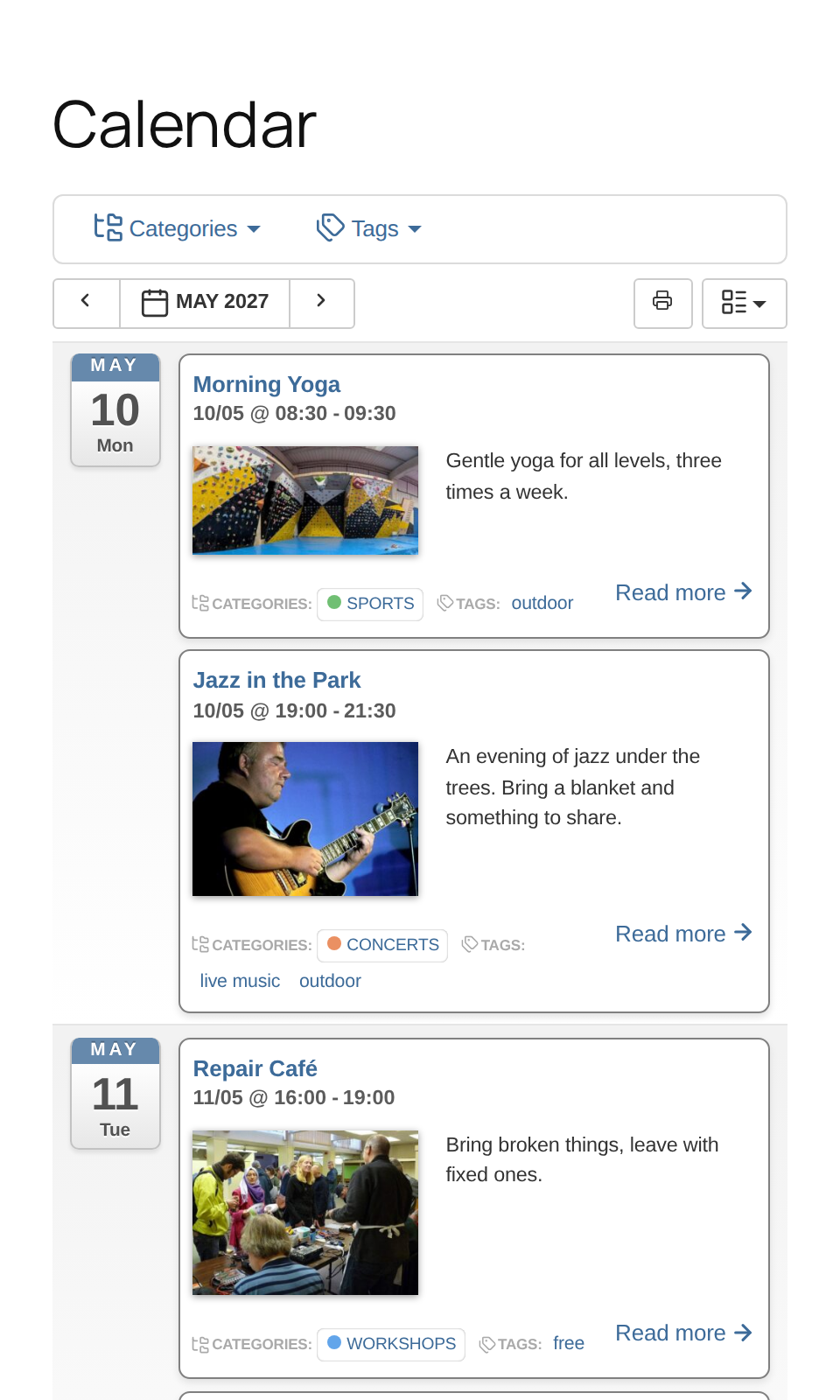
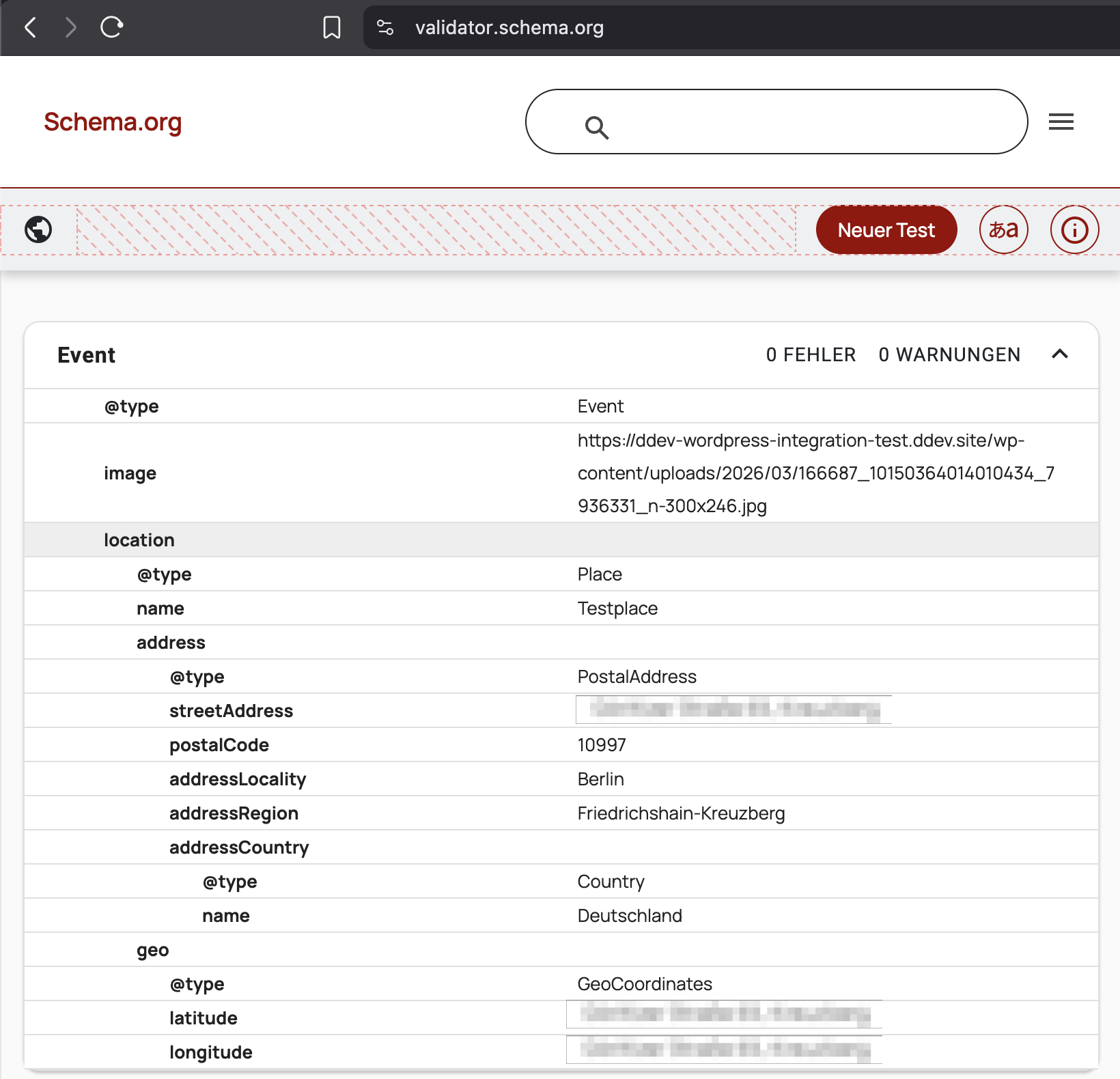
Blocks
This plugin provides 1 block.
- Osec Calendar Osec classic Bootstrap block.
Installation
Install as any other plugin, or from GitHub.
Setup steps
- Open the plugin settings page and save once
- Configure:
- Timezone
- UI date formats
- Week start day
- Review
WordPress → Settings → Generalfor output date formats. - (Optional) Override constants file:
Copy constants-local.php.example and save as
constants-local.php
To remove all plugin data on uninstall, set: define('OSEC_UNINSTALL_PLUGIN_DATA', true);
FAQ
-
“I really need feature XYZ”
-
Let’s draft it out on GitHub. You could donnate/pay me development time to get it contributed. Invoices possible. Or feel free to implement the requested feature yourself and create a Pull Request for it.
I may also provide paid support. -
Event descriptions in the agenda view and the ICS feed are passed through WordPress’
the_contentfilter, in the context of the event, so plugins hooking into it behave as on the event itself. Most of them can be switched off per post type in their own settings.If a plugin still adds unwanted content, enable OSEC Settings Advanced Strict compatibility content filtering. Event descriptions in agenda view and the ICS feed then only get basic formatting (
wptexturize,convert_smilies,convert_chars,wpautop); developers can change that list with theosec_event_the_content_strict_filtersfilter. -
A feed fails with “cURL error 60: SSL certificate problem”
-
Feeds are fetched with certificate verification, so a server with a self-signed, expired or incomplete certificate is refused (before 1.1.15 certificates were not checked). WordPress checks against its own list of certificate authorities, not the one of your server.
If the certificate is issued by an authority installed on your server, such as a company or local certificate authority (“unable to get local issuer certificate”), enable Settings Advanced Trust this server’s CA certificates for feeds. Certificates are still verified, against WordPress’ list plus your server’s.
Otherwise ask the feed’s provider to fix the certificate, or use
http://if the provider offers it. If you trust that server anyway, you can exempt just its host with WordPress’http_request_argsfilter:`phpadd_filter(‘http_request_args’, function ($args, $url) {
if (‘calendar.example.org’ === wp_parse_url($url, PHP_URL_HOST)) {
$args[‘sslverify’] = false;
}
return $args;
}, 10, 2);
`
Reviews


Contributors & Developers
“Open Source Event Calendar” is open source software. The following people have contributed to this plugin.
Contributors


Translate “Open Source Event Calendar” into your language.
Interested in development?
Browse the code, check out the SVN repository, or subscribe to the development log by RSS.
Changelog
1.2.0
Highlights
- Plana fits the WordPress theme: colours, lines and text sizes as Theme Options, defaults from the theme
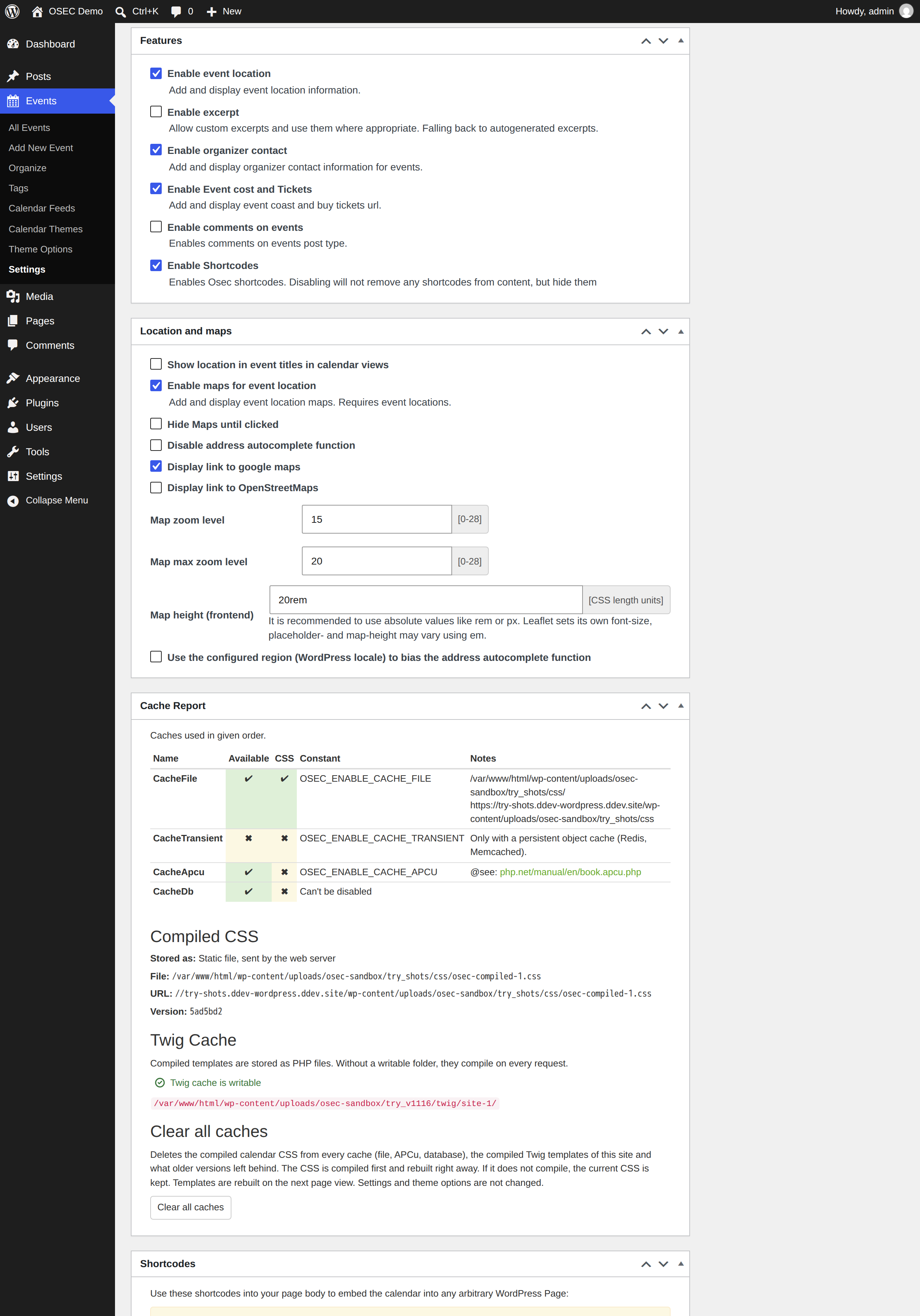
- Faster: SVG icons, stylesheet 406 to 227 KB, served as a static file; new “Clear all caches”
- Calendar block: width follows the page, agenda expanded or collapsed per block, print icon setting
- Print: month, week and day fill the page on any paper size
- Emoji in events and feeds (utf8mb4), longer event fields, option to trust the server’s CA certificates for feeds
- Complete schema.org/Event microdata in all themes; names for icon-only buttons
- Updated translations; full SQLite support (for the Live Preview)
Fixes
- 5 security fixes: imported feed fields, event titles in the views, JSONP callback, cache report permission, admin output
- Fields escaped twice since 1.0.7 (“D&D”); repair from the admin notice or with
wp osec repair-escaping - Feed import: categories and tags #62, duplicates, timeouts, long fields, UTC offsets
- Excluded dates of recurring events on SQLite and in other time zones #44
- Month view, agenda, date picker, print and theme fixes: 50 fixes in all
Developers
- Internet Explorer is no longer supported; custom themes: only the icons in
osec-icons-map.lessremain - Templates: new
event-popup.twig,event.image_html; frontend rendering with twig.js 3 and autoescape - WP-CLI:
wp osec theme,wp osec content generate,wp osec repair-escaping - Calendar URLs carry
exact_dateas ISO date; URLs in the input date format keep working
All changes and older versions: CHANGELOG.md