
Description
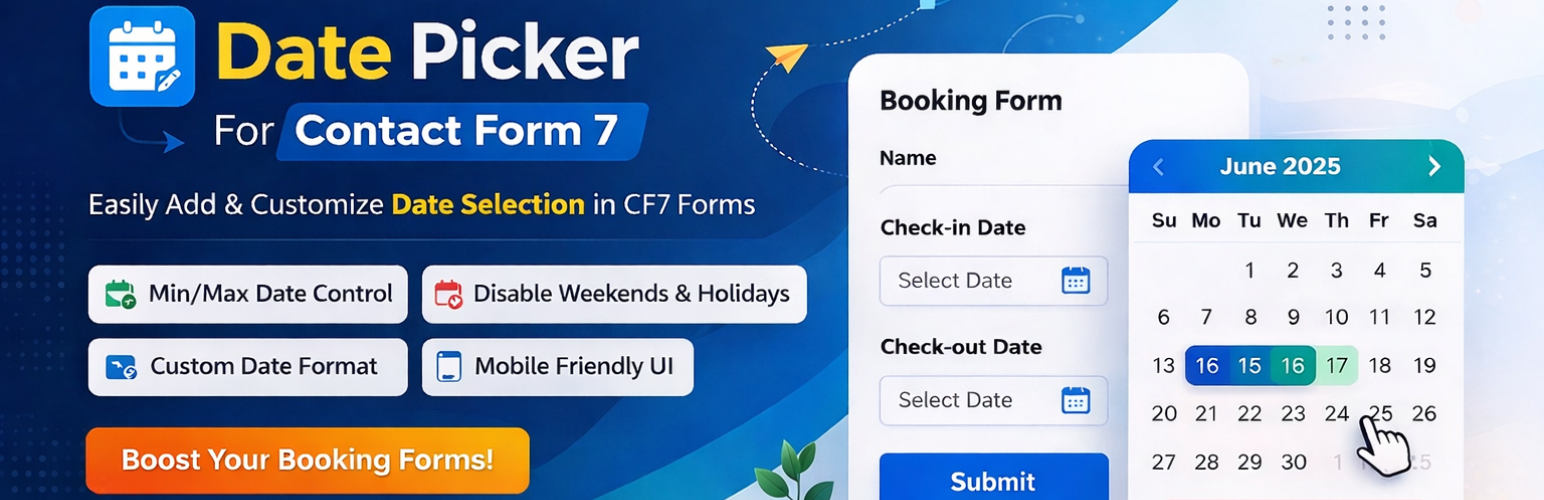
Date Picker For Contact Form 7 is a lightweight yet powerful Contact Form 7 datepicker alternative that adds a flexible, mobile-friendly calendar field to your CF7 forms — no coding required. If you’ve been searching for a simple way to stop users from typing dates by hand, this plugin gives you a clean calendar widget in just a few clicks.
Whether you need a Contact Form 7 calendar booking system for appointments, an Arrival/Departure date range, a Check-in/Check-out flow for a rental or hotel site, or a simple Appointment Booking form, this plugin gives you full control over how dates are selected and displayed.
Popular use cases
- Setting a Contact Form 7 date min today so customers can’t book dates in the past.
- Building a Contact Form 7 booking calendar for hotels, clinics, salons, and consultants.
- Adding a Contact Form 7 datepicker placeholder so users instantly know the expected date format.
- Looking to disable past dates in Contact Form 7 without writing custom JavaScript.
- Restricting bookings to a specific date range for events, rentals, or reservations.
Why choose this Date Picker?
- User Experience: Faster date selection leads to higher form conversion rates.
- Data Accuracy: Forces a consistent date format, making data management easy.
- Scheduling Control: Perfect for businesses that need to restrict weekends, holidays, or past dates.
- No Coding Needed: Configure everything from the CF7 tag generator — set the minimum date to today, add a placeholder, and pick a skin, all from the admin screen.
Main Features
- Multiple Date Pickers: Add multiple unique date fields to a single form.
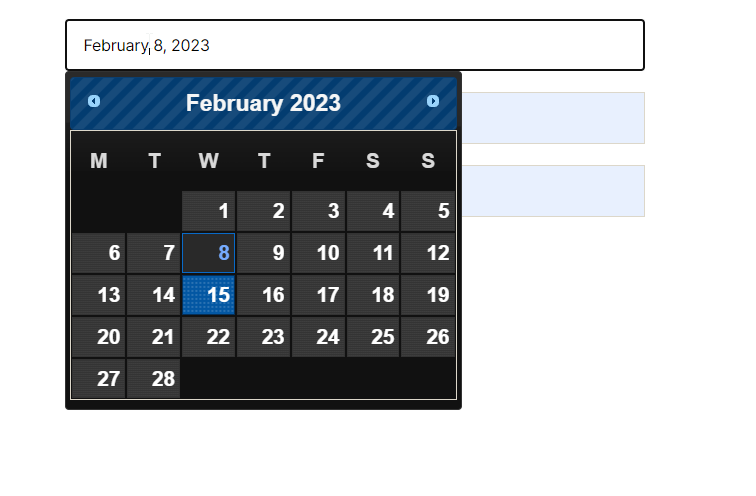
- Custom Date Formats: Choose how the date appears (e.g., dd/mm/yy, mm-dd-yy).
- Min/Max Date Restrictions: Set the Contact Form 7 date min to today, or set a max date, to disable past dates or limit how far ahead users can book.
- Custom Skins: Change the design and look of the calendar to match your site.
- Placeholder Support: Add a custom Contact Form 7 datepicker placeholder text inside the date field.
[Pro] Advanced Features
- Disable Specific Days: Blackout holidays, weekends, or specific dates where you are unavailable — ideal for a booking calendar.
- Advanced Logic: Perfect for complex Contact Form 7 calendar booking requirements.
Screenshots


Installation
- Upload the
date-picker-for-contact-form-7folder to the/wp-content/plugins/directory. - Activate the plugin through the ‘Plugins’ menu in WordPress.
- Open your Contact Form 7 editor.
- Look for the “Date Picker” tag generator button.
- Configure your settings (Min/Max date, Skin, etc.) and insert the shortcode.
FAQ
-
Does this work with the latest version of Contact Form 7?
-
Yes, we regularly test the plugin against the latest CF7 updates to ensure 100% compatibility.
-
Can I have two date pickers for “Check-in” and “Check-out”?
-
Absolutely. You can add multiple fields and set different rules for each.
-
Is it mobile-friendly?
-
Yes, the date picker is responsive and works smoothly on touch devices.
-
Is this a good Contact Form 7 datepicker alternative to built-in date fields?
-
Yes. Unlike the default CF7 date field, this plugin adds a full visual calendar, custom skins, placeholder text, and min/max date restrictions — everything you need for a proper date picker without extra coding.
-
How do I set a Contact Form 7 datepicker placeholder?
-
Open the Date Picker tag generator in your CF7 form editor and enter your custom text in the Placeholder field. It will display inside the empty date field until the user makes a selection.
-
How do I disable past dates in Contact Form 7?
-
In the tag generator, set the Minimum Date option to “Today.” This automatically blocks users from selecting any date before the current day.
-
Can I set the Contact Form 7 date min to today automatically?
-
Yes, the Minimum Date setting has a built-in “Today” option, so you don’t need to enter a fixed date manually — it always updates to the current day.
-
Can I use this as a Contact Form 7 booking calendar?
-
Yes. Combine the Min/Max date restrictions with multiple date fields to build a simple booking calendar for appointments, reservations, or check-in/check-out forms.
Reviews


Contributors & Developers
“Date Picker For Contact Form 7” is open source software. The following people have contributed to this plugin.
Contributors
Translate “Date Picker For Contact Form 7” into your language.
Interested in development?
Browse the code, check out the SVN repository, or subscribe to the development log by RSS.
Changelog
1.0
- Initial release.
- Added Min/Max date options.
- Added custom skin support.